
Pipedrive AI: Your Smart Assistant for Closing More Deals
Pipedrive AI helps sales teams spend less time on manual CRM work and more time on conversations that create revenue. Instead of searching through long email threads, guessing which deal needs attention, writing every follow-up from scratch, or building reports manually, your team can use AI to work faster with better context.
The important point is that Pipedrive AI does not replace sales strategy or human relationships. It supports your sales process by reducing repetitive tasks, surfacing useful information, and helping reps take the next best action.
When configured around a clear pipeline, good data, and a practical follow-up process, Pipedrive AI can help your business respond faster, prioritize better opportunities, improve CRM adoption, and close more deals.

What Is Pipedrive AI?
Pipedrive AI is a group of AI-powered tools built into Pipedrive to help sales teams manage data, communication, reporting, apps, and deal activity more efficiently.
The tools are designed to reduce admin work, improve communication quality, and give salespeople quicker access to the information they need before following up with a prospect.
Current Pipedrive AI features include tools for:
- Importing CRM data from spreadsheets.
- Generating sales reports from natural-language prompts.
- Writing sales emails.
- Summarizing email conversations.
- Suggesting email replies.
- Answering questions about Pipedrive data.
- Recommending Marketplace apps.
- Surfacing analytics and pipeline notifications.
- Supporting lead prioritization through Pulse, Scores, enrichment, and sequences.
Some AI capabilities are available only on specific Pipedrive plans, while others are currently in beta. Pipedrive’s official AI feature guide provides the latest availability information.
Why Pipedrive AI Matters for Sales Teams
Salespeople lose valuable time when they manually update CRM records, search for customer context, write repetitive emails, decide which deal to work on next, and build reports from scratch.
Pipedrive AI helps remove some of that friction. It can make existing sales processes more efficient by bringing the right information forward when a salesperson needs it.
The benefits are practical:
- Faster follow-ups after calls and meetings.
- Better visibility into high-priority opportunities.
- Less time reading long email threads.
- More consistent sales communication.
- Faster reporting for managers.
- Better use of CRM data.
- Easier onboarding for new sales reps.
- More time for customer conversations and closing work.
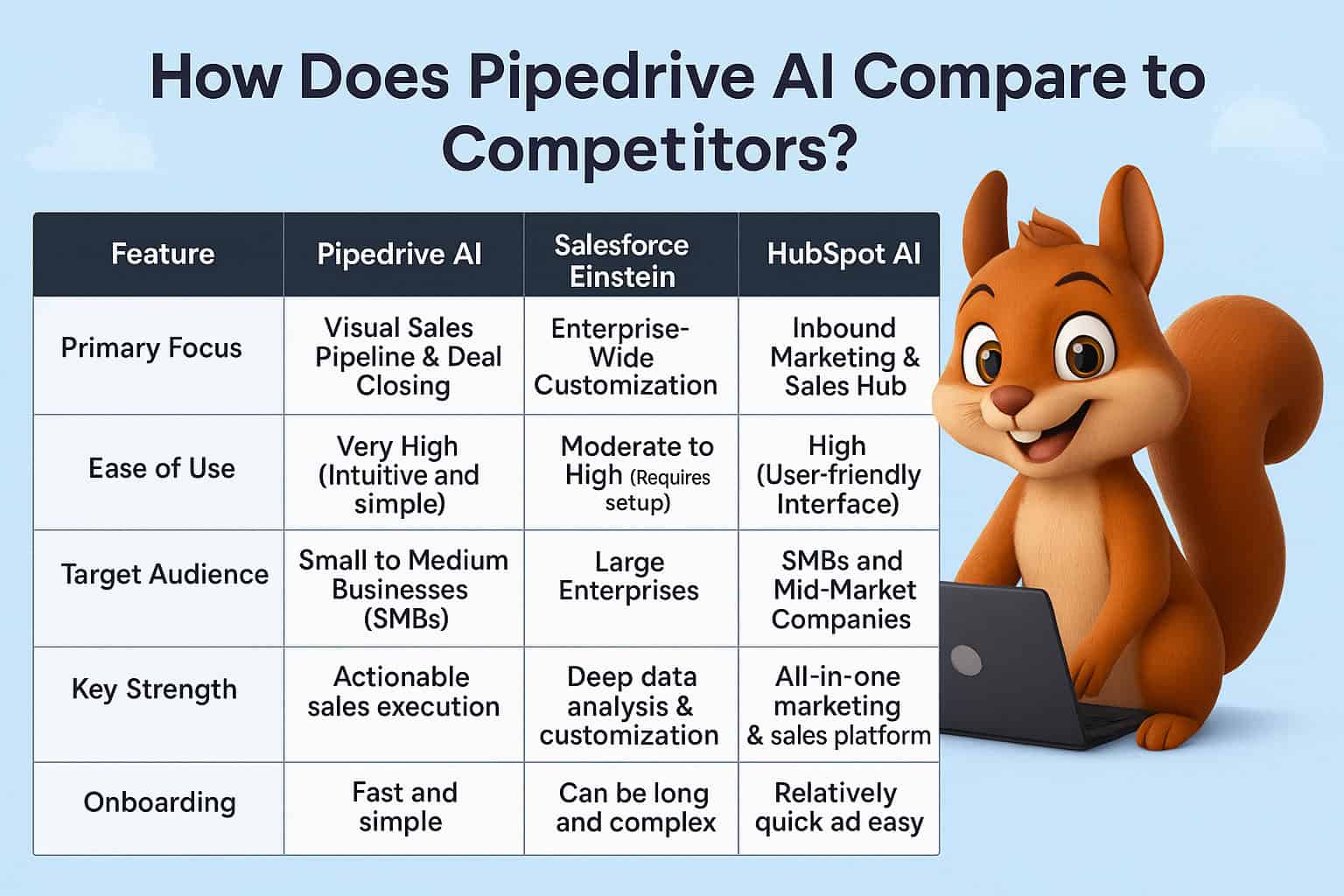
Pipedrive positions its AI CRM as a way to reduce manual sales work, simplify communication, and help teams close deals more efficiently.

Pipedrive AI Features That Can Help You Close More Deals
Pipedrive’s AI tools serve different parts of the sales process. Some help you prepare for conversations, some help you act faster, and others help managers understand what is happening across the pipeline.
The strongest results come from combining AI with a well-structured CRM process.
AI Email Creation
Pipedrive’s AI email creation tool helps salespeople draft emails faster from the Sales Inbox or deal-detail view. Users can describe the purpose of the email, choose a tone and length, then generate a draft that can be edited before sending.
This is useful when a sales rep needs to write a first outreach email, follow up on a proposal, confirm a meeting, respond to an objection, or re-engage an inactive prospect.
The AI should give you a starting draft, not the final message. Salespeople should always add real prospect context, check factual details, remove generic language, and make sure the email reflects the company’s tone.
Practical Example of AI Email Creation
Imagine a sales rep who has completed a discovery call with a prospect interested in Pipedrive setup and marketing automation. The prospect has a small sales team, uses spreadsheets, and needs to launch within 60 days.
Instead of writing a completely new follow-up from scratch, the rep can prompt Pipedrive AI to create a short, professional follow-up email that summarizes the discussed challenge, confirms the next step, and proposes a solution review call.
The rep can then personalize the message by mentioning the prospect’s exact problem, team size, and timeline. This preserves the human quality of the relationship while reducing writing time.
Pipedrive states that AI email creation is available on Premium and higher plans. Read Pipedrive’s AI email creation guidance.
AI Email Summarization
Long email threads can hide important details. Pipedrive’s AI email summarization helps salespeople quickly understand the main discussion points, customer sentiment, buying readiness, and action items from a conversation.
This is particularly helpful when a deal has been handed from one salesperson to another, a manager needs to review an important account, or a prospect has been emailing several stakeholders.
How AI Email Summaries Improve Sales Follow-Up
A summary allows the sales rep to understand what has happened without reading every message in the thread. That reduces preparation time and makes it easier to send a relevant response.
Pipedrive’s AI email summarization can show:
- A concise conversation summary.
- Customer sentiment.
- Readiness to buy on a scale of 1 to 10.
- Suggested action items.
The tool can support better prioritization, but it should not replace human judgement. A buyer may sound positive in an email while still lacking budget, authority, or a realistic timeline.
Pipedrive lists AI email summarization as a Premium-and-higher feature and notes that it is currently part of its AI beta functionality. See the latest Pipedrive AI availability details.
AI-Suggested Email Replies
Pipedrive’s AI-suggested replies help users create a context-aware response based on the existing email thread. This can be useful when a prospect asks a routine question, confirms a meeting, requests more information, or responds to a proposal.
The feature helps your team move conversations forward faster, but every reply should be reviewed before sending. AI can draft a useful response, but it cannot fully understand commercial nuance, sensitive client concerns, or your company’s exact promise.
When to Use AI-Suggested Replies
AI-suggested replies work best for repetitive but important communication. They can save time while keeping response quality consistent.
Good use cases include:
- Confirming meeting times.
- Responding to a request for a proposal.
- Sending requested case studies or documents.
- Following up after a product demo.
- Acknowledging a prospect’s question.
- Re-engaging a deal after a pause.
- Sharing next steps after an initial conversation.
For complex negotiations, pricing discussions, contract issues, complaints, or sensitive customer conversations, use AI as a drafting assistant and rely on a knowledgeable human to make the final decision.
Pipedrive Sales Assistant
Pipedrive’s Sales Assistant is an AI beta feature that can answer questions about your CRM data, summarize content, create notes, and help users navigate Pipedrive features.
This can be useful for salespeople who need fast answers without manually opening several reports or records.
How Sales Assistant Supports Daily Sales Work
A sales rep may need to know which deals require attention, which opportunity is closest to closing, or what happened during the last interaction with a prospect. Sales Assistant can help surface this information more quickly.
For example, a manager could ask for a summary of a team’s pipeline activity or a salesperson could ask for help locating relevant data inside Pipedrive.
Sales Assistant should support the team’s workflow, not become a replacement for proper dashboards, pipeline reviews, or sales management. The best results come when CRM data is current and the sales process is clearly defined.
AI-Powered Notifications
Pipedrive AI-powered notifications provide context-based insights about your company’s sales performance. These notifications can help sales managers and reps notice performance changes, opportunities, or potential issues without manually searching through reports.
The notifications may not appear immediately in a new account because they depend on available CRM activity and performance data.
Why AI Notifications Are Useful
Sales teams often react too late because they notice a problem only after a deal has already gone cold or a target has been missed. AI-powered notifications can make important patterns more visible.
Useful alerts may help draw attention to:
- Changes in sales performance.
- Pipeline activity trends.
- Deals that need attention.
- Opportunities to improve sales behaviour.
- Areas where managers should investigate further.
Pipedrive lists AI-powered notifications as available on Premium and higher plans.
AI-Assisted Report Creation
Reporting is essential for sales management, but many users avoid building reports because they are unsure which filters, data fields, and chart types to use.
Pipedrive’s AI-assisted report creation lets users generate reports in Insights using a written prompt. Instead of manually starting from a blank report, you can describe what you want to measure.
Example Prompts for Pipedrive AI Reports
A sales manager can use plain-language prompts to create a starting point for useful reports. The final report should still be checked for correct filters and date ranges.
Examples include:
- “Show won revenue by lead source for the last quarter.”
- “Create a report for deals lost by reason this month.”
- “Show each salesperson’s completed activities this week.”
- “Compare proposal-sent deals with closed-won deals by service.”
- “Show open pipeline value by expected close date.”
- “Create a report for deals with no activity in the last 14 days.”
AI-assisted reporting can save setup time, but it cannot correct poor data. If your sales team does not record lead source, lost reason, deal value, and activity data consistently, reports will still be incomplete.
AI Import Assistant
Moving CRM data from spreadsheets can be slow and error-prone. Pipedrive’s AI import assistant helps map spreadsheet columns to the right Pipedrive fields during import.
This is useful for businesses moving from Excel, Google Sheets, another CRM, event lead lists, referral databases, or historical customer records.
How AI Import Assistant Helps CRM Setup
The AI import assistant can reduce manual mapping work by recognizing likely field matches. For example, it may help map a spreadsheet column named “Company Name” to the organization field or “Projected Value” to deal value.
You should still review every mapping before importing. A bad import can create duplicate contacts, wrong deal values, incomplete records, and inconsistent data that affects reporting and automation later.
Pipedrive notes that the AI import assistant is enabled by default and works best when the relevant fields already exist in your Pipedrive account.
Pipedrive Pulse: AI-Powered Deal Prioritization
Pulse is Pipedrive’s prospecting toolkit for prioritizing and nurturing deals. It brings together deal scoring, data enrichment, sequences, and a prioritized feed that helps salespeople focus on the right opportunities.
Pulse is especially useful for teams with many deals because it reduces the need to manually search through the pipeline for urgent follow-ups.
How Pulse Helps Salespeople Work Smarter
The Pulse feed can surface deals that need attention, including overdue activities, deals with no planned follow-up, email replies, no-response situations, new opportunities, and sequence tasks.
Instead of relying only on memory or a static deal list, sales reps can use the feed to focus on actions that are most likely to move opportunities forward.
Pulse can support:
- Follow-up prioritization.
- Detection of stale deals.
- Identification of new opportunities.
- Deal enrichment.
- Custom deal scoring.
- Email and task sequences.
- Faster access to relevant deal context.
Pipedrive describes Pulse as a centralized toolkit for identifying priorities, filling missing information, ranking deals, and managing follow-up actions.
Pipedrive AI Lead Scoring
Pipedrive’s built-in Score feature helps teams prioritize deals based on custom criteria. While people commonly refer to this as lead scoring, Pipedrive’s native Scores feature currently applies to deals rather than standalone leads.
The score is calculated from positive and negative criteria that you create based on your ideal customer profile and sales process.
How Pipedrive Scores Work
Pipedrive Scores use three fixed scoring groups:
- Highly positive criteria: +25 points.
- Slightly positive criteria: +10 points.
- Negative criteria: -10 points.
Pipedrive then normalizes the outcome to a 0–100 scale. The criteria can be based on deal fields and activity fields, such as deal value, budget, industry, timeline, completed discovery calls, overdue tasks, or missing follow-up activity.
A high score should mean the deal is both a good fit and showing meaningful progress.
Example AI-Assisted Scoring Model
A CRM implementation business may create these rules:
Highly positive signals:
- Deal value is above $5,000.
- Decision-maker has attended a discovery call.
- Target start date is within 60 days.
- The prospect needs Pipedrive setup, automation, or integration.
Slightly positive signals:
- The lead came through a referral or organic search.
- A solution-review meeting is booked.
- The prospect has supplied current CRM details.
- The company matches the target business size.
Negative signals:
- No follow-up activity is scheduled.
- Budget is below the minimum project value.
- Decision timeline is unknown.
- The deal has overdue activities.
For a detailed setup guide, read our article on Pipedrive lead scoring and deal prioritization.
AI and Sales Forecasting in Pipedrive
Pipedrive AI can support smarter sales decisions, but forecasting still depends on accurate deal data, expected close dates, values, probabilities, and pipeline stages.
Pipedrive lets businesses use stage probability and deal probability to create weighted pipeline values. A deal-specific probability overrides stage probability when both are used.
How Probability Improves Forecast Accuracy
A weighted forecast is more realistic than adding every open deal at full value. If a $10,000 deal has a 40% chance of closing, its weighted value is $4,000.
Use probability carefully. Do not inflate forecast numbers just to create a more positive view of the pipeline. Your probability should reflect actual historical conversion performance and deal evidence.
Pipedrive explains that deal probability represents the likelihood of a specific deal being won and that weighted values use probability to estimate revenue.
Real-World Example: Using Pipedrive AI in a B2B Sales Process
Imagine a B2B services company selling CRM setup, marketing automation, software integrations, and sales-process consulting. The company receives leads from its website, referral partners, paid advertising, LinkedIn, and outbound campaigns.
Before using Pipedrive AI, the sales team spends too much time reviewing emails, deciding which leads to call, writing proposal follow-ups, and manually building reports for management.
A practical AI-supported workflow could look like this:
- New leads enter Pipedrive through a web form or import.
- The team uses custom fields to capture service interest, budget, company size, timeline, and current CRM.
- Pipedrive Scores prioritize deals that best match the ideal customer profile.
- Pulse highlights high-priority opportunities, overdue tasks, and deals with no next activity.
- A sales rep uses AI email creation to draft a follow-up after discovery.
- AI email summarization helps the rep review a long conversation before a proposal call.
- AI-assisted reporting helps the manager review pipeline performance by lead source and service.
- The team checks results monthly and improves its scoring rules, automation, and sales messaging.
The AI does not close the deal by itself. It gives the sales team more time, better context, and a more organized process to close the deal properly.
Best Practices for Using Pipedrive AI
Pipedrive AI performs best when it is built on reliable CRM data and a documented sales process. AI cannot solve a broken pipeline, missing qualification information, or inconsistent follow-up behaviour.
Use these best practices to get stronger results:
- Keep deal, contact, and activity data up to date.
- Create clear pipeline stages based on real buyer progress.
- Use custom fields for budget, industry, service interest, timeline, and decision-maker status.
- Set a next activity for every active deal.
- Review AI-generated emails before sending.
- Use AI summaries to prepare faster, not to avoid reading important context.
- Test lead-scoring rules against closed-won and closed-lost deals.
- Review AI reports for correct filters and date ranges.
- Use automation for routine tasks, not sensitive client decisions.
- Train sales reps on how and when to use each AI feature.
For a complete CRM process, CRM Squirrel can help with Pipedrive setup, Pipedrive API integrations, and tailored workflow design.
Common Pipedrive AI Mistakes to Avoid
AI can save time, but it can also create poor outcomes when used without review, context, or process discipline. The most common mistake is treating AI output as automatically correct.
Avoid these mistakes:
- Sending AI-generated emails without personalizing or reviewing them.
- Using AI to compensate for missing CRM data.
- Expecting AI to replace sales training or discovery skills.
- Creating reports without checking data filters.
- Over-automating customer communication.
- Ignoring poor-fit leads because they show some engagement.
- Using scoring rules that do not reflect your actual best customers.
- Failing to review beta-feature availability and plan requirements.
- Giving every deal the same generic follow-up sequence.
- Treating AI insights as more valuable than direct customer conversations.
The best use of AI is as a sales co-pilot. It should make your team faster and better informed while human salespeople remain responsible for relationship-building, judgement, and commercial decisions.

When to Work With a Pipedrive AI Consultant
Pipedrive AI tools are easier to use when your CRM foundation is already organized. Businesses often need help before AI can create meaningful value, especially when their pipelines, data fields, automations, and reporting are inconsistent.
A Pipedrive consultant can help you build the right CRM structure first, then connect AI features to practical sales workflows.
This is valuable when you need to:
- Redesign a messy sales pipeline.
- Create lead-scoring rules.
- Build custom qualification fields.
- Automate routing and follow-up activities.
- Connect Pipedrive with other business software.
- Improve pipeline reporting and forecasts.
- Train a growing sales team.
- Create a scalable process before adding more leads.
Start Using Pipedrive AI More Effectively
Pipedrive AI can increase sales productivity by helping your team write faster, prepare better, prioritize stronger deals, and reduce repetitive CRM work. The real value comes when AI is connected to a clean sales process and reliable customer data.
Start with the basics: build a clear pipeline, collect the right qualification details, schedule every next action, and use AI to improve speed and context around those actions.
Ready to build a smarter sales system? Start with CRM Squirrel’s exclusive 45-day Pipedrive free trial and get expert help setting up Pipedrive AI, automation, scoring, reporting, and integrations around your business goals.
Frequently Asked Questions About Pipedrive AI
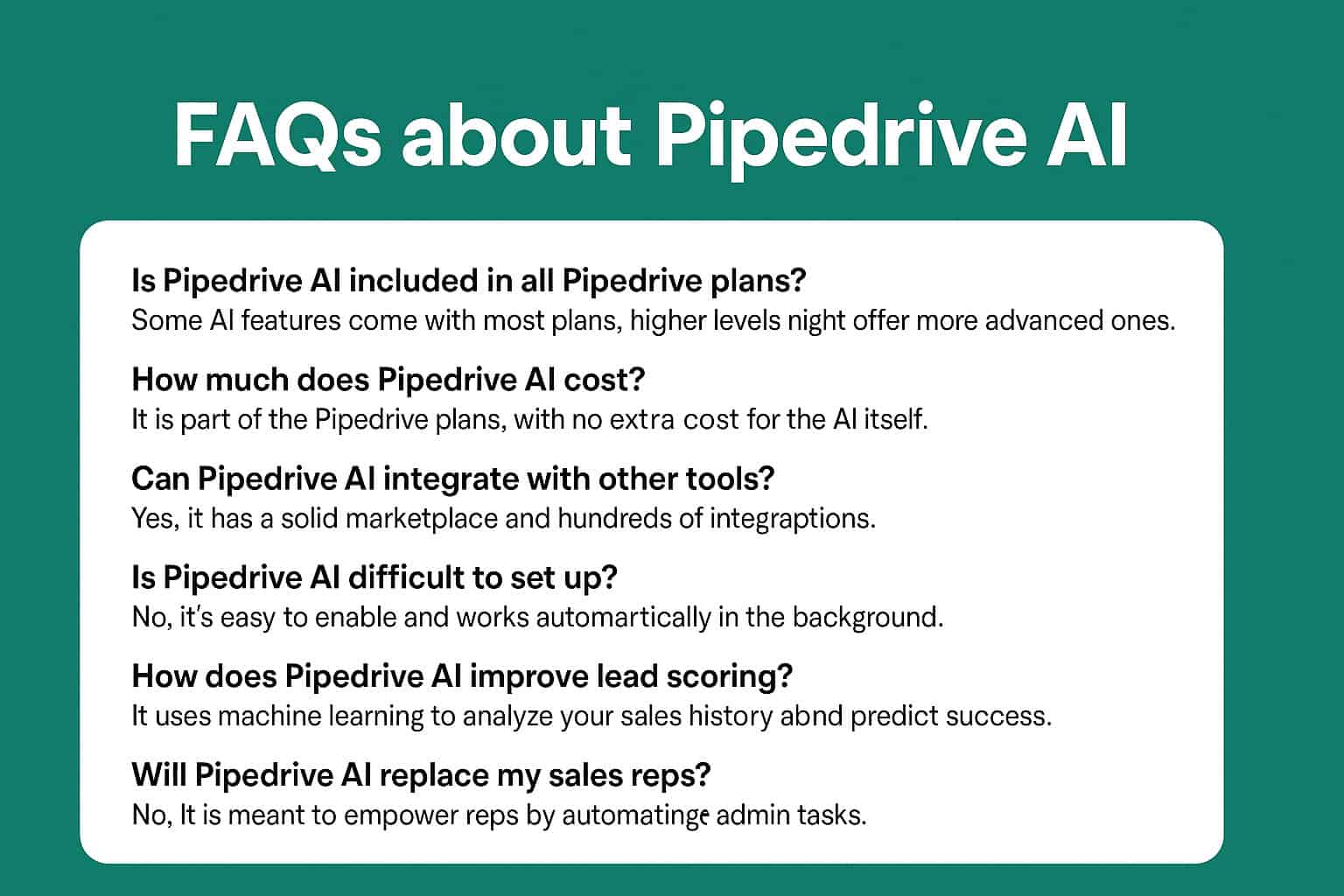
This FAQ section answers the most common questions business owners and sales teams ask about Pipedrive’s AI capabilities, feature availability, and practical use in daily sales work.
What is Pipedrive AI?
Pipedrive AI is a group of AI-powered tools within Pipedrive that helps sales teams reduce manual work, draft emails, summarize conversations, create reports, prioritize deals, find relevant apps, and access CRM insights more quickly.
Does Pipedrive AI write emails?
Yes. Pipedrive AI can generate email drafts based on your prompt, selected tone, and desired length. You should always review and personalize the draft before sending it to a prospect or client.
Can Pipedrive AI summarize email conversations?
Yes. Pipedrive’s AI email summarization can create a concise summary of a long email thread and show sentiment, readiness to buy, and suggested action items. This feature is available on Premium and higher plans and is currently listed as a beta feature.
Does Pipedrive AI score leads?
Pipedrive offers a Scores feature for prioritizing deals using custom positive and negative criteria. Although commonly described as lead scoring, Pipedrive’s native Scores currently apply to deals rather than standalone leads.
Which Pipedrive plan includes AI features?
Some basic AI features are available across Pipedrive plans, while others require Premium or Ultimate plans. Certain AI features are also in beta and may only be available to selected users. Check Pipedrive’s live feature availability before choosing a plan.
Can Pipedrive AI replace salespeople?
No. Pipedrive AI can reduce manual work and help salespeople make better decisions, but it cannot replace the human skills required for discovery, trust-building, negotiation, problem-solving, and closing complex deals.


