
Pipedrive and HubSpot are two of the most popular CRM platforms for growing businesses, but they are designed around different priorities.
Pipedrive is a sales-first CRM built to help teams manage leads, deals, activities, and follow-ups through a clear visual pipeline. HubSpot is a wider customer platform that combines CRM, sales, marketing, customer service, content, and operations tools.
The right choice depends on what your business needs most. If your priority is helping a sales team follow up consistently and close more deals without unnecessary complexity, Pipedrive is often the stronger option. If you want to run marketing campaigns, capture website leads, manage customer service, and connect several customer-facing teams in one ecosystem, HubSpot may be a better long-term fit.
This detailed Pipedrive vs HubSpot comparison will help you choose based on your sales process, budget, business size, and growth plans.
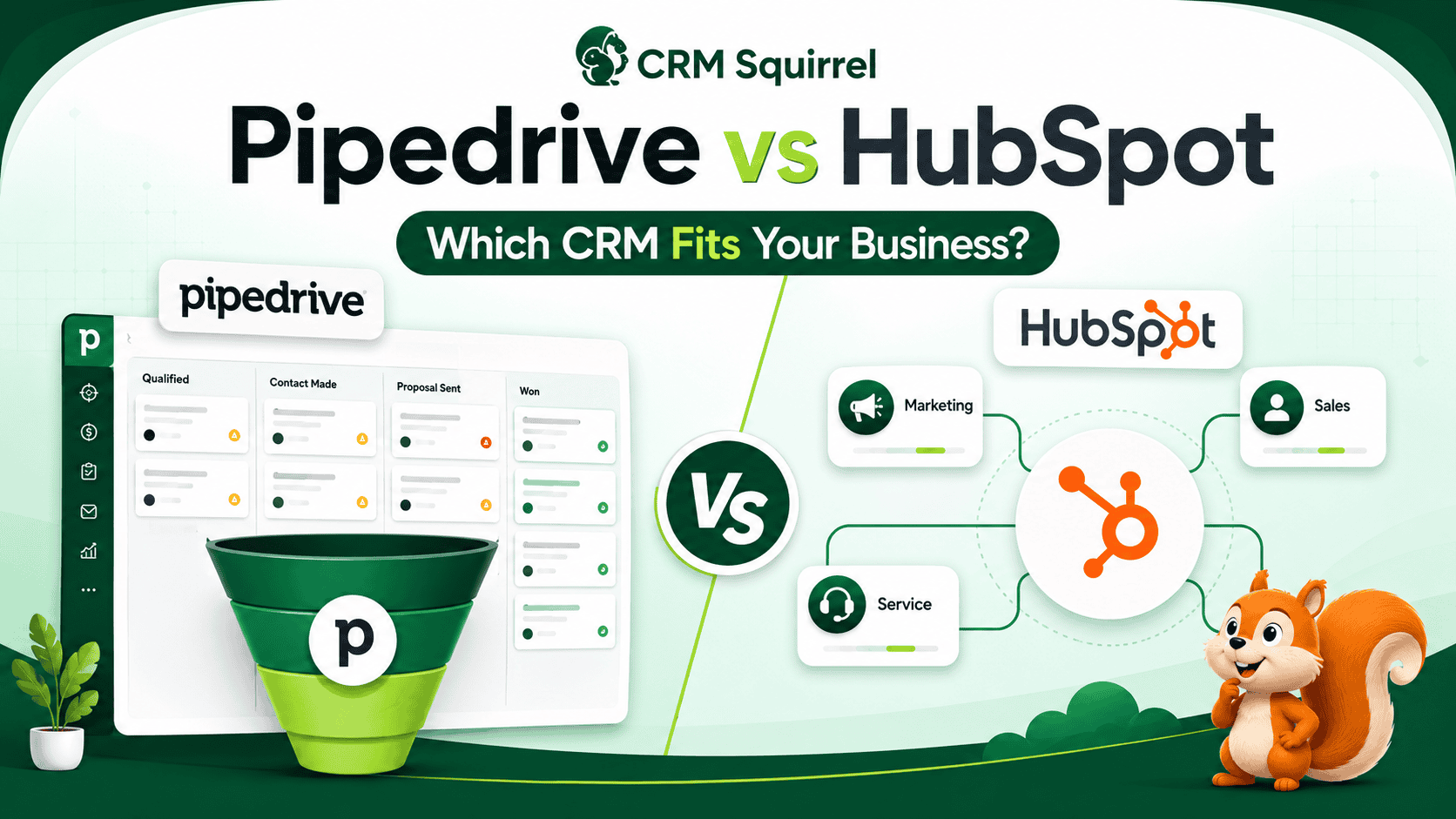
Pipedrive vs HubSpot: Quick Verdict
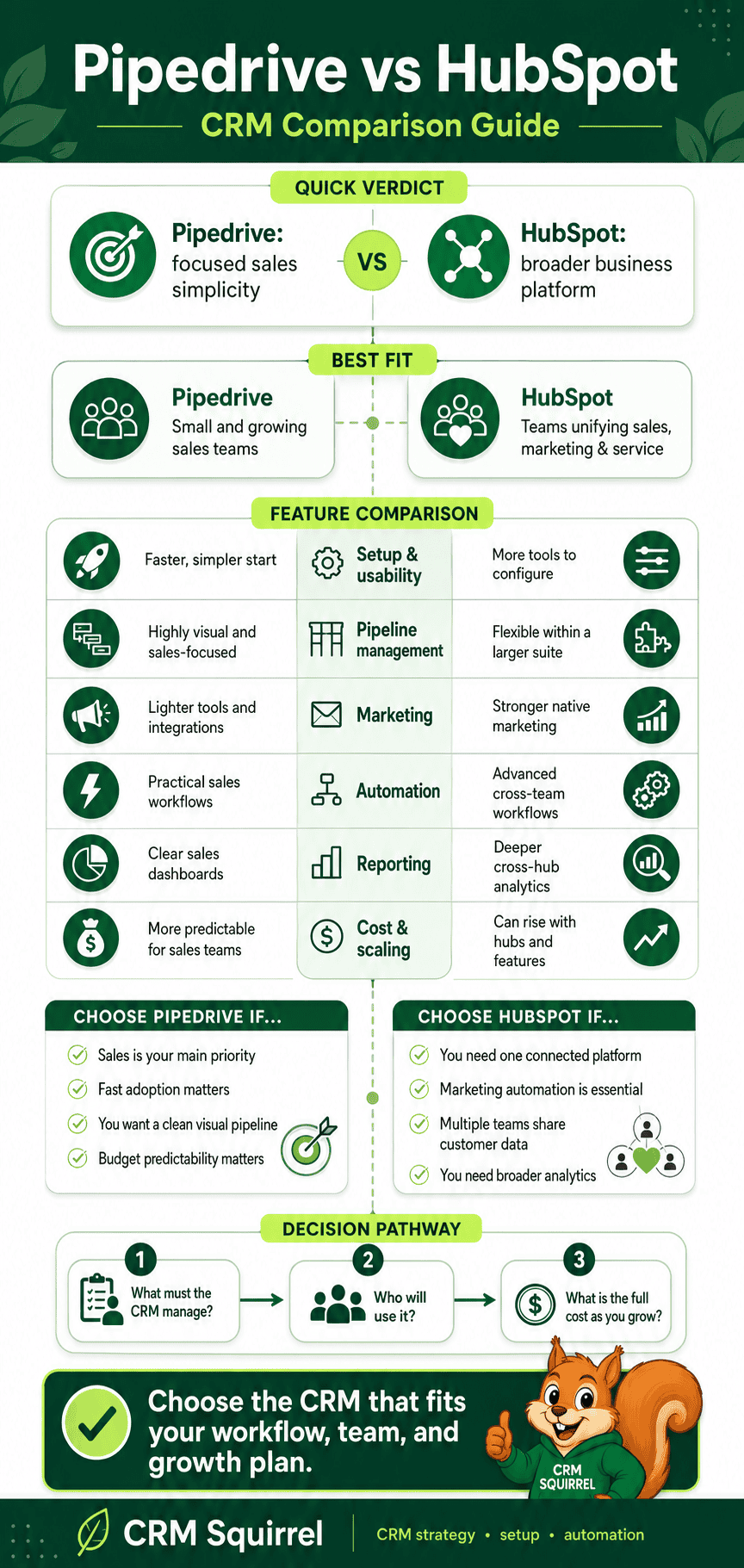
Pipedrive is generally best for small and mid-sized businesses that want a focused, affordable, easy-to-use sales CRM. It is particularly strong for B2B services, agencies, consultants, real estate businesses, recruitment firms, distributors, and sales teams that need better pipeline visibility.
HubSpot is generally best for businesses that want CRM, inbound marketing, email campaigns, content, customer service, and sales tools in a connected platform. It is a strong choice for companies with a serious marketing engine and the budget to scale into paid HubSpot hubs.
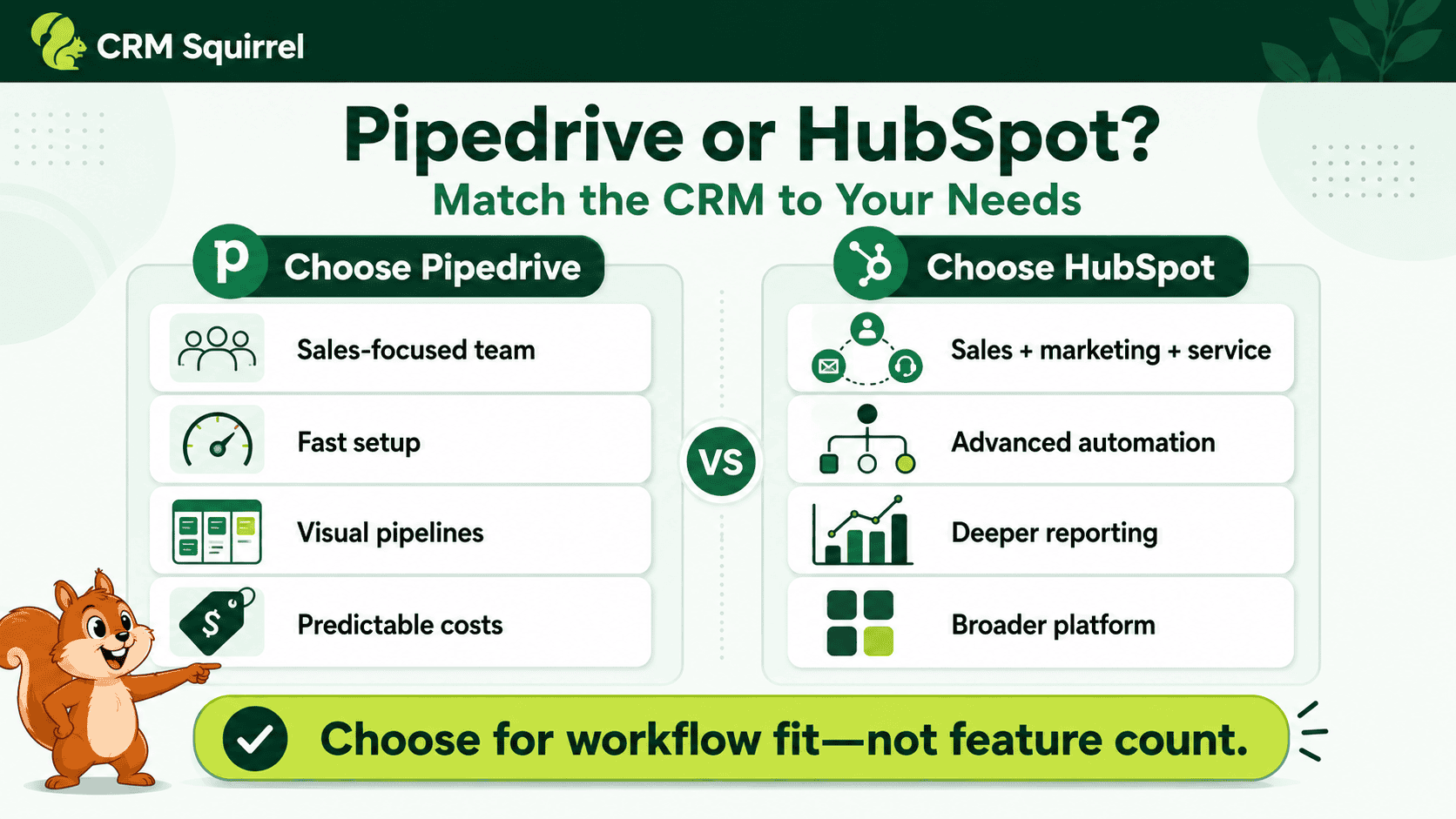
Choose Pipedrive if you want:
- A simple visual sales pipeline.
- Fast CRM adoption for sales representatives.
- Strong activity and follow-up management.
- Sales automation without enterprise-level complexity.
- Lower-cost sales-focused plans.
- Flexible pipelines and custom fields.
- A CRM that salespeople are likely to use every day.
Choose HubSpot if you want:
- Free CRM tools for initial use.
- Marketing automation and lead nurturing.
- Website forms, landing pages, and content tools.
- Sales, marketing, and service teams in one platform.
- Advanced inbound-marketing capabilities.
- A broader customer-data ecosystem.
Pipedrive vs HubSpot at a Glance
Both platforms provide contact management, deal pipelines, activity tracking, email tools, reporting, and automation. The main difference is the depth and focus of each ecosystem.
| Area | Pipedrive | HubSpot |
|---|---|---|
| Best for | Sales-focused small and mid-sized businesses | Businesses combining sales, marketing, and service |
| Core strength | Visual deal pipeline and activity management | Connected customer platform and inbound marketing |
| Ease of use | Very sales-focused and straightforward | User-friendly but broader as more Hubs are added |
| Free plan | Free trial, then paid plans | Free CRM available for up to two users |
| Pipeline management | Excellent, visual, and sales-centric | Strong, with more advanced controls on higher plans |
| Marketing | Available through add-ons and integrations | Major strength through Marketing Hub |
| Sales automation | Strong, especially on Growth and above | Strong, with advanced workflows on paid tiers |
| Customer service | Integrations and add-ons | Native Service Hub ecosystem |
| Reporting | Strong sales reporting and dashboards | Strong cross-team reporting, especially at higher tiers |
| Integrations | 500+ integrations | 2,000+ apps and web services listed by HubSpot |
| Typical cost profile | More predictable for sales-only use | Can rise substantially as advanced Hubs are added |
Pipedrive Overview
Pipedrive is a CRM designed around activity-based selling. It gives sales teams a visual pipeline where each deal moves through defined stages, from first contact to closed won or closed lost.
The platform is built to answer a simple but important question: what is the next activity required to move this opportunity forward?
Pipedrive includes lead management, deals, pipelines, activities, email sync, automation, reports, custom fields, forecasting, mobile apps, and integrations. Its focused interface makes it popular with teams moving away from spreadsheets or overly complex CRMs.
Pipedrive says its platform supports lead, calendar, and pipeline management, AI-powered reporting, sales automations, subscriptions and forecast reports, and more than 500 integrations. See Pipedrive’s current CRM features and plans.
HubSpot Overview
HubSpot is a customer platform built around its Smart CRM. It offers tools across marketing, sales, service, content, commerce, and data management.
HubSpot Sales Hub is the sales-focused product, providing deal pipelines, meetings, email tracking, templates, calling, sequences, lead scoring, forecasting, reporting, and sales automation. Marketing Hub adds the marketing tools that HubSpot is especially known for, including forms, landing pages, email marketing, campaigns, content, and lead nurturing.
HubSpot is powerful when your business wants marketing and sales teams to work from one connected customer record. However, businesses should review the total cost carefully because advanced functionality is spread across paid products and tiers.
Pipedrive vs HubSpot Pricing
Pricing is one of the biggest differences between Pipedrive and HubSpot. Both platforms offer entry points for smaller businesses, but the cost can change significantly as your team needs more automation, reporting, marketing, or enterprise controls.
Pricing changes by region, billing frequency, promotions, seats, add-ons, and plan updates, so always confirm current pricing before purchasing.
Pipedrive Pricing
At the time of writing, Pipedrive’s annual-billing plans start at approximately:
- Lite: $14 per user per month.
- Growth: $39 per user per month.
- Premium: $59 per user per month.
- Ultimate: $79 per user per month.
Pipedrive also offers add-ons such as LeadBooster, Campaigns, Projects, Smart Docs, and Web Visitors. This modular structure can be useful because you only add extra functionality when your business genuinely needs it.
The Growth plan is often a practical starting point for sales teams that need email sync, automation, sequences, and follow-up support. Check Pipedrive’s live pricing page before making a final decision.
HubSpot Pricing
HubSpot offers a free CRM plan for up to two users, which can be appealing for early-stage businesses. Its paid Sales Hub options currently start at around:
- Sales Hub Starter: $20 per seat per month.
- Sales Hub Professional: $100 per seat per month.
- Sales Hub Enterprise: $150 per seat per month.
HubSpot’s Professional and Enterprise sales plans may also involve required one-time onboarding fees. Marketing Hub, Service Hub, and other products are priced separately or through bundles, so total costs can grow as a company adopts more of the ecosystem.
HubSpot’s free tools are useful, but businesses should not choose the platform only because it starts free. First, calculate what you will need when your team requires advanced automation, campaigns, reporting, more pipelines, or marketing contacts. Review HubSpot’s current Sales Hub pricing here.
Pipedrive vs HubSpot for Sales Pipeline Management
Pipedrive wins for businesses that want a dedicated, visual, sales-first pipeline experience. Its Kanban-style pipeline is simple to understand, and reps can quickly see deal value, stage, owner, next activity, and urgency.
You can create pipelines for different services, teams, territories, or sales motions. For example, an agency may use separate pipelines for SEO retainers, website projects, Pipedrive implementation, and existing-client upsells.
Pipedrive also allows sales teams to customize stages, stage probabilities, fields, filters, and deal cards. Its CRM is designed to make stalled deals and missed activities visible.
HubSpot also offers deal pipelines and can support advanced pipeline rules, approvals, validation, guided actions, and forecasting. However, some of these advanced controls require higher Sales Hub plans. HubSpot outlines its deal-pipeline capabilities here.
Which Is Better for Pipeline Management?
Pipedrive is the better choice for most businesses that primarily need sales pipeline management. It is easier to configure around a straightforward sales process and encourages sales representatives to focus on the next action.
HubSpot is a strong option when your deal pipeline needs to sit inside a larger marketing, service, and customer-data environment.
Pipedrive vs HubSpot for Lead Management
Both CRMs help businesses capture, organize, qualify, and assign leads. The difference is where those leads come from and what happens around them.
Pipedrive works well for leads generated through referrals, outbound outreach, paid ads, networking, phone calls, partnerships, or website enquiries. Sales teams can add leads, qualify them, convert them into deals, assign activities, and manage them through the pipeline.
HubSpot is stronger for inbound lead generation. It connects naturally with website forms, landing pages, blog content, chat, email campaigns, and marketing attribution. If your sales team relies heavily on content marketing and website conversion, HubSpot can provide deeper visibility into how a lead engaged before speaking with sales.
For a sales-led business, Pipedrive is usually enough. For a marketing-led business, HubSpot’s broader lead-capture and nurturing ecosystem may be worth the additional investment.
Pipedrive vs HubSpot for Email Marketing
HubSpot is the stronger platform for email marketing. Its Marketing Hub is designed for campaigns, segmentation, landing pages, workflows, forms, customer journeys, lead nurturing, and marketing attribution.
Pipedrive supports sales email sync, templates, tracking, sequences, and automations. It also offers Campaigns as an add-on and connects with many email-marketing tools. This is useful for sales follow-up and smaller campaign needs, but it is not intended to replace a full marketing automation platform for complex inbound campaigns.
Choose HubSpot for email marketing if you need:
- Multi-step lead-nurturing campaigns.
- Landing pages and web forms.
- Marketing contact management.
- Content-led lead generation.
- Complex segmentation.
- Marketing attribution reports.
- Campaigns across several channels.
Choose Pipedrive if you need:
- One-to-one sales email tracking.
- Proposal and follow-up sequences.
- Automated sales reminders.
- Deal-based email communication.
- Integrations with your existing email-marketing tool.
If you want to improve Pipedrive-based sales follow-up and marketing workflows, read CRM Squirrel’s guide to Pipedrive marketing automation.
Pipedrive vs HubSpot for Automation
Both platforms offer automation, but their use cases differ.
Pipedrive automation is focused on sales efficiency. It can automate repetitive actions such as assigning deals, creating follow-up tasks, sending emails, updating fields, moving deals, and triggering workflows when a deal reaches a stage.
For example, when a salesperson moves a deal to “Proposal Sent,” Pipedrive can create a follow-up task for three business days later. If the prospect replies positively, the deal can be assigned to a closer or moved to a negotiation stage.
HubSpot automation is broader. Its workflows can connect marketing, sales, service, and customer-data actions. That makes it powerful for businesses with complex lifecycle automation.
For example, HubSpot can use form submissions, website activity, lead scores, email engagement, and CRM properties to trigger sales tasks or marketing workflows.
Which Automation Tool Is Better?
Pipedrive is better for practical sales automation that keeps deals moving. HubSpot is better for businesses that need connected marketing-to-sales and sales-to-service automation.
Do not choose HubSpot’s advanced automation unless you have a clear plan to use it. A simpler automated sales process in Pipedrive often produces better adoption and ROI for smaller teams.
Pipedrive vs HubSpot for Reporting and Forecasting
Pipedrive provides strong sales reporting through Insights. Teams can build reports and dashboards around deals, activities, revenue, conversion, stage performance, and forecasting.
Its reporting is especially useful for sales managers who want answers to questions such as:
- Which salesperson has the highest pipeline value?
- Which deal stages are slowing down?
- How many activities were completed this week?
- Which lead source creates the most won deals?
- What is the expected revenue for this month or quarter?
- Which opportunities have no next activity?
HubSpot provides reporting across sales, marketing, service, and customer engagement. That is valuable when leadership wants to connect website traffic, campaign performance, lead generation, sales activity, and customer outcomes.
HubSpot also offers sales forecasting and pipeline reporting, with more sophisticated features available as you move up its plans. Explore HubSpot’s sales-tracking capabilities.
Which Platform Has Better Reporting?
Pipedrive is better for focused sales reporting that is easy for a small or mid-sized sales team to use.
HubSpot is better for businesses that need cross-functional reporting across marketing, sales, and service. The trade-off is that more advanced reporting often requires more expensive plans and more operational discipline.
Pipedrive vs HubSpot for Customization
Both platforms can be customized, but Pipedrive keeps customization closer to the needs of a sales team. You can create custom fields, pipelines, activity types, filters, reports, and automations.
This makes Pipedrive especially useful for businesses with distinct qualification requirements. A real estate business may track budget range, property type, and preferred location. A consulting business may track current CRM, project scope, user count, integrations, and target launch date.
HubSpot offers deeper customization across objects, properties, workflows, and connected hubs. This can be valuable for complex RevOps environments, but it may also require more technical administration.
For most small and mid-sized businesses, Pipedrive provides enough flexibility without making everyday CRM use difficult.
Pipedrive vs HubSpot Integrations
HubSpot lists more than 2,000 connected apps and web services in its marketplace. This makes it attractive for businesses that want a broad, connected technology ecosystem.
Pipedrive offers more than 500 integrations and connects with popular tools for accounting, email, calling, scheduling, lead generation, marketing, project management, and document signing.
The right question is not, “Which CRM has more integrations?” The better question is, “Does the CRM integrate properly with the tools we already use?”
Before choosing either platform, list the systems you must connect:
- Gmail or Microsoft 365.
- Accounting software.
- Website forms.
- Ecommerce platform.
- Email-marketing platform.
- Calling or VoIP system.
- Calendar.
- Proposal and e-signature software.
- Project-management tool.
- ERP or inventory system.
- Data warehouse or reporting tool.
For tailored workflows and API-based connections, see CRM Squirrel’s Pipedrive API integration services.
Pipedrive vs HubSpot Ease of Use
Pipedrive is generally easier for sales teams to learn and adopt quickly. Its interface is centered on leads, deals, activities, contacts, and pipelines. Most sales representatives can understand the workflow with minimal training.
HubSpot is also user-friendly, but it becomes more complex when your business uses several Hubs, advanced workflows, reporting, permissions, campaigns, and custom objects.
This does not make HubSpot a bad choice. It simply means you should match the system to your team’s readiness. A CRM with dozens of unused features is not more valuable than a simpler CRM that your team uses consistently.
Real-World Example: Choosing Between Pipedrive and HubSpot
Imagine a five-person B2B agency selling website design, SEO, paid advertising, and CRM implementation. Most leads come from referrals, Google Ads, LinkedIn outreach, and website enquiries. The sales team needs a clear process for discovery calls, proposals, follow-ups, and new-client onboarding.
Pipedrive would likely be the better fit if the agency’s main challenge is inconsistent follow-up and poor pipeline visibility. It can create separate pipelines for services, require qualification fields, automate proposal follow-ups, and show management which deals are at risk.
Now imagine a fast-growing ecommerce food brand that creates content, runs paid campaigns, captures leads from recipes and guides, sends nurture emails, manages wholesale enquiries, and needs customer-service visibility. HubSpot may be the stronger choice because marketing, sales, service, and website activity need to work together.
The right CRM is based on your growth model, not which software has the longest feature list.
When Pipedrive Is the Better Choice
Pipedrive is usually the better option when your business is sales-led and wants a practical CRM that helps the team close deals.
Choose Pipedrive when:
- You need a focused sales CRM.
- Your team is moving from spreadsheets or a basic CRM.
- You want a visual pipeline that salespeople will use.
- Follow-up discipline is a major problem.
- You need custom fields and workflow automation.
- Your sales process involves calls, meetings, proposals, and negotiations.
- You want a lower-cost path to strong sales functionality.
- You already use separate marketing, accounting, or support tools.
- You need help implementing a CRM quickly.
For a detailed setup around your business process, work with Pipedrive experts who can design the pipeline, custom fields, automations, dashboards, integrations, and training plan.
When HubSpot Is the Better Choice
HubSpot is usually the better option when marketing plays a central role in how you generate, nurture, and convert leads.
Choose HubSpot when:
- You need a connected marketing, sales, and service platform.
- Your website and content generate a large share of leads.
- You need advanced email marketing and nurture workflows.
- You want landing pages, forms, chat, content, and CRM in one ecosystem.
- You need deeper marketing attribution.
- Your business can support the higher long-term cost of paid Hubs.
- You have the operational capacity to manage a broader platform.
HubSpot is a strategic investment when your company is building a full inbound-growth engine. It may be more than you need if your primary goal is simply to manage sales opportunities and follow-ups.
Can You Move From HubSpot to Pipedrive?
Yes. Businesses can migrate contacts, companies, deals, activities, and other data from HubSpot to Pipedrive. Before moving, review your existing fields, pipelines, users, workflows, reports, and data quality.
Do not copy every old field and workflow into the new CRM without reviewing whether it is still useful. Migration is a good opportunity to remove duplicate data, standardize stages, improve qualification fields, and simplify reporting.
Pipedrive provides guidance for exporting HubSpot data and preparing Pipedrive for import. Read Pipedrive’s migration guidance for HubSpot users.
Final Verdict: Pipedrive or HubSpot?
Pipedrive wins for most sales-focused small and mid-sized businesses. It is easier to adopt, less complicated for sales teams, and highly effective for pipeline visibility, activities, follow-ups, and deal management.
HubSpot wins for businesses that need a complete customer platform with marketing, sales, service, content, and customer-data tools in one ecosystem.
The best decision is not about choosing the most popular CRM. It is about choosing the platform your team will use consistently and that supports the way your business earns revenue.
If you want an easy-to-use, sales-first CRM, start with CRM Squirrel’s exclusive 45-day Pipedrive free trial. You can then build a pipeline, sales process, and automation workflow designed around your business—not generic CRM templates.
Frequently Asked Questions
This FAQ section answers common questions businesses ask when comparing Pipedrive and HubSpot.
Is Pipedrive cheaper than HubSpot?
Pipedrive is usually more cost-effective for businesses that only need a sales CRM. HubSpot offers a free CRM, but its paid Sales Hub, Marketing Hub, and advanced automation features can become significantly more expensive as your needs grow.
Is Pipedrive easier to use than HubSpot?
For sales pipeline management, most teams find Pipedrive easier to use because its interface is focused on leads, deals, activities, and next actions. HubSpot is also user-friendly, but it becomes broader and more complex when several Hubs are used.
Can Pipedrive replace HubSpot?
Pipedrive can replace HubSpot for businesses that mainly need sales CRM, pipeline management, follow-up automation, and reporting. However, it may not replace HubSpot if your business heavily relies on Marketing Hub, advanced content marketing, web forms, lead nurturing, and service tools.
Does HubSpot have a free CRM?
Yes. HubSpot offers free CRM tools for up to two users. The free version is useful for basic contact, deal, and activity management, but advanced sales, automation, and marketing features require paid plans.
Is HubSpot better for marketing than Pipedrive?
Yes. HubSpot is generally stronger for full-scale marketing automation, forms, landing pages, campaigns, content, segmentation, and attribution. Pipedrive is stronger for focused sales pipeline and activity management.
Which CRM is better for a small business?
Pipedrive is usually better for a small business with a sales-led process because it is straightforward, focused, and cost-effective. HubSpot can be a better choice for a small business that depends heavily on inbound marketing and wants to build within the HubSpot ecosystem from the start.


