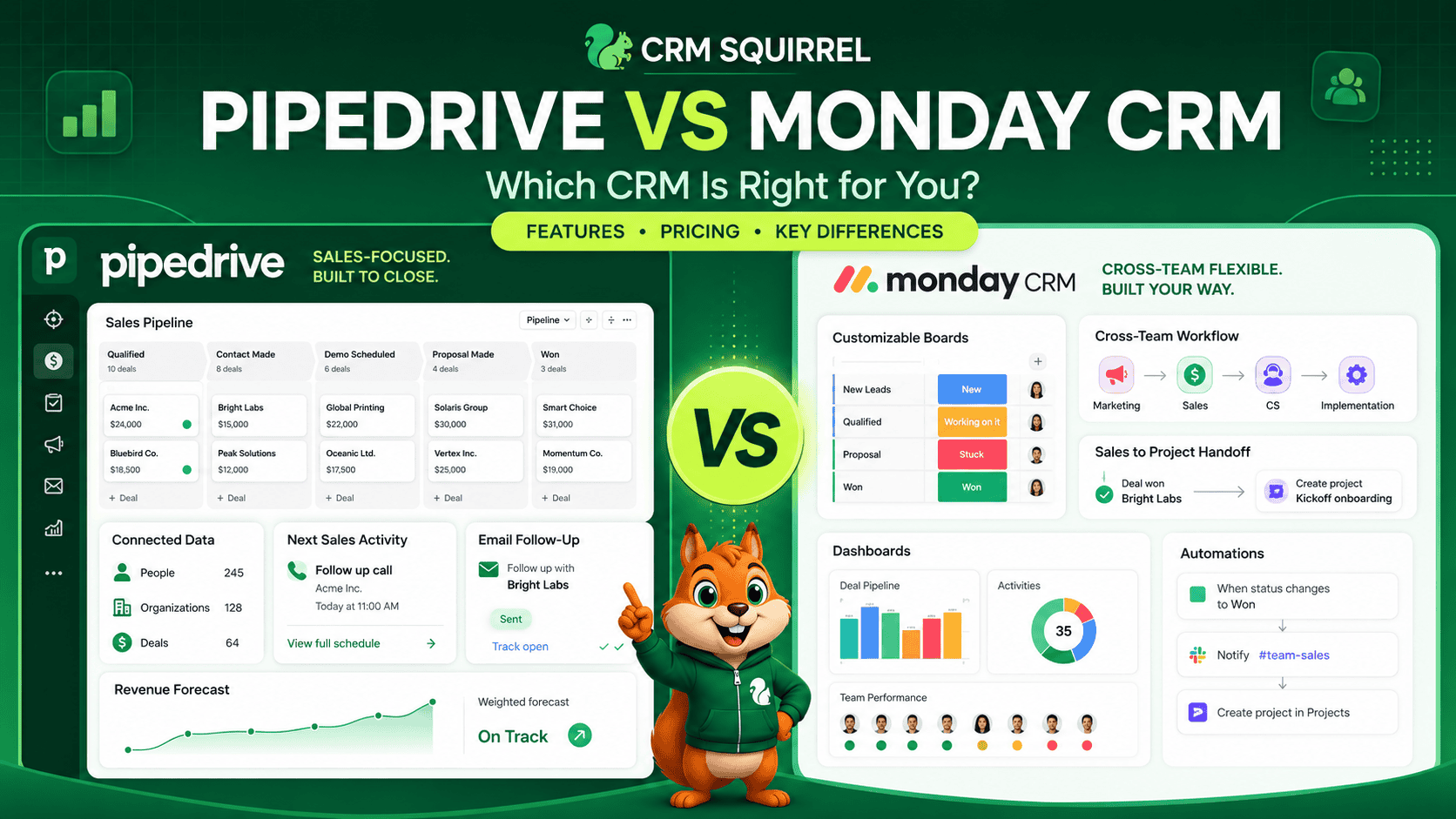
Pipedrive and monday CRM are both strong choices for businesses that want to organize leads, manage deals, automate follow-ups and improve sales visibility. However, they are built with different priorities.
Pipedrive is a dedicated sales CRM. It is designed around leads, contacts, organizations, deals, sales activities, email communication and revenue forecasting. Its strength is keeping sales teams focused on the next action required to move a deal forward.
monday CRM is part of the wider monday.com work platform. It combines CRM capabilities with flexible boards, workflows, dashboards, automations and collaboration tools. Its strength is allowing sales, marketing, operations and delivery teams to work from a more customizable shared workspace.
The short answer is simple:
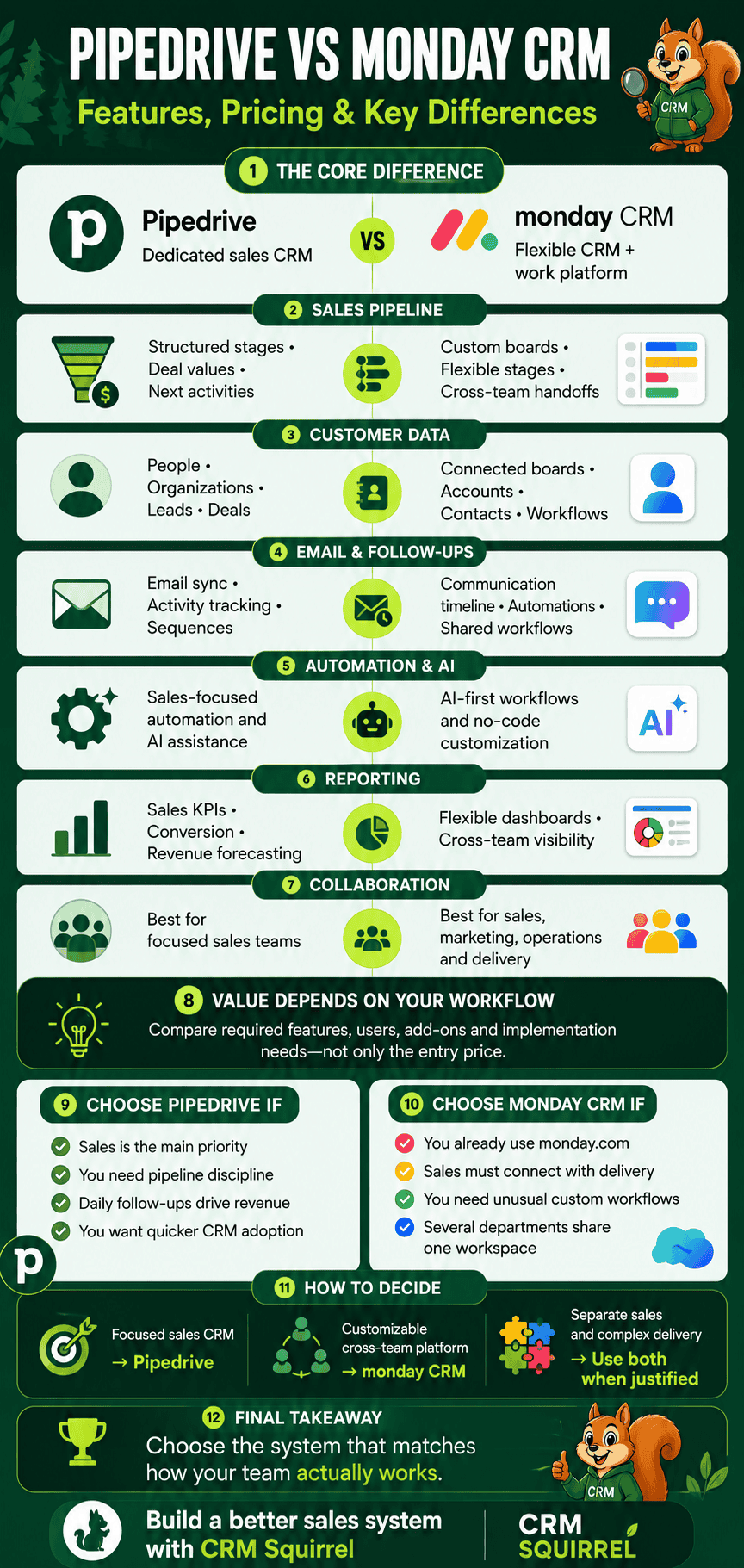
- Choose Pipedrive if your main priority is a focused sales CRM with strong deal management, sales activity tracking and pipeline visibility.
- Choose monday CRM if your business wants a highly customizable CRM that connects sales with project delivery, operations and broader cross-team workflows.
- Choose both only when your business has a clear reason to separate sales CRM management from complex operational delivery.
This guide compares Pipedrive vs monday CRM across features, pricing, automation, AI, reporting, integrations, scalability and real-world use cases.
Want to test a dedicated sales CRM before deciding? Start CRM Squirrel’s exclusive 45-day Pipedrive free trial and evaluate it using your real deals, contacts and sales workflow.
Pipedrive vs Monday CRM at a Glance
Pipedrive and monday CRM can both support a visual sales pipeline, but the way they structure sales data and team workflows is different. The right platform depends on whether your business needs sales focus or broader operational flexibility.
Pipedrive is designed for businesses that want their CRM to be the central place for managing prospect relationships and closing deals. monday CRM is designed for businesses that want sales information to live alongside project work, marketing activity and operational processes.
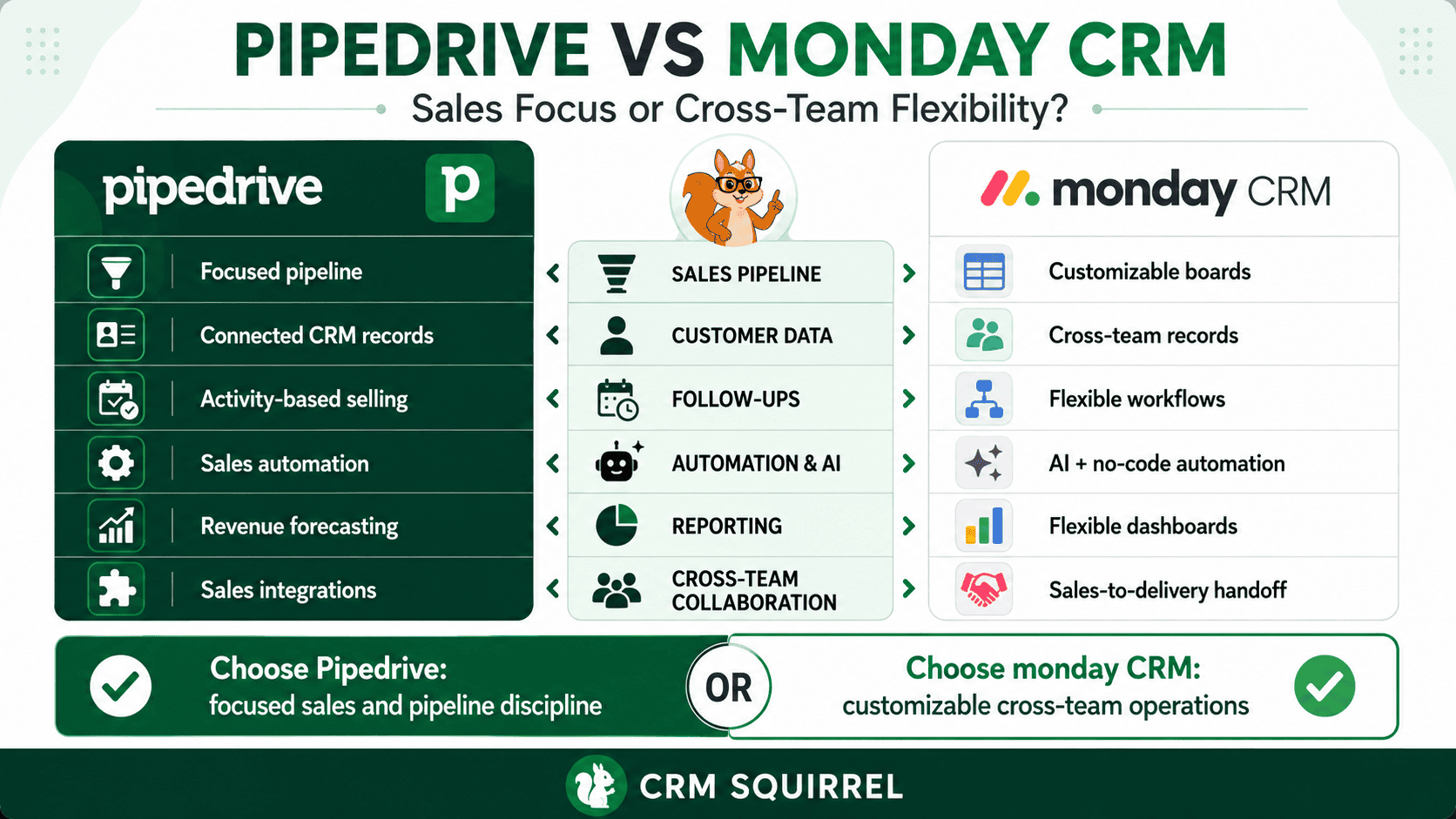
Pipedrive is generally the better choice for:
- Sales-led businesses
- Agencies with structured lead-to-close processes
- Consultants and service providers
- Sales teams that need clear daily activities
- Businesses relying on sales forecasting
- Teams that need pipeline discipline
- Companies moving from spreadsheets or basic boards
monday CRM is generally the better choice for:
- Teams using monday.com for projects or operations already
- Businesses that need sales, delivery and operations on one platform
- Teams with unusual or highly customized workflows
- Organizations that need flexible dashboards and boards
- Companies that want strong no-code workflow customization
- Teams that need sales and project handoff visibility
What Is Pipedrive?
Pipedrive is a cloud-based sales CRM designed to help businesses manage prospects and convert opportunities into customers. Its core structure is built around leads, deals, people, organizations, activities and pipelines.
The platform gives sales representatives a clear view of every active opportunity. Each deal can include a value, expected close date, owner, sales stage, contact details, emails, notes, activities and related products or services.
Pipedrive is especially useful because it encourages activity-based selling. Instead of only showing a deal’s stage, it helps the team identify the next call, meeting, email or task required to move that opportunity forward.
For a detailed introduction, read our guide to Pipedrive for small businesses.
Core Pipedrive Features
Pipedrive includes the essential functions most sales teams need to manage a repeatable customer acquisition process. The features are designed to keep sales data structured and easily accessible.
Key Pipedrive capabilities include:
- Visual sales pipelines
- Lead and deal management
- Contact and organization records
- Calendar and activity management
- Email synchronization and tracking
- Workflow automation
- Meeting scheduler
- Custom Fields
- Sales reporting and dashboards
- Revenue forecasts
- Lead routing
- AI sales assistance
- Mobile applications
- More than 500 integrations
Pipedrive’s official pricing and features page confirms that its plans are designed around lead, pipeline, contact, email, automation and forecast management.
What Is monday CRM?
monday CRM is a customer relationship management product within the monday.com ecosystem. It is built on monday’s flexible board-based structure, allowing businesses to customize pipelines, fields, dashboards, automations and cross-team workflows.
The platform can manage leads, contacts, deals, activities, emails, quotes and sales pipelines. Its major difference is that sales data can be connected more directly with project management, operations, marketing and client delivery processes on the wider monday platform.
monday CRM positions itself as an AI-first revenue platform, with features for automated lead capture, sales sequences, pipeline alerts, AI meeting support and deal insights.
Core monday CRM Features
monday CRM provides a broad set of CRM and workflow tools. Its strength is flexibility, especially for teams that want to customize how records, boards and processes work together.
Key monday CRM capabilities include:
- Visual sales pipeline boards
- Lead and contact management
- Customizable deal stages
- Email and activity logging
- Mass email and email sequences
- Lead capture and routing
- Workflow automation
- Quotes and invoices
- Forecasting dashboards
- AI meeting notes
- AI deal insights
- AI workflow support
- Dashboards and reporting
- Cross-team project visibility
- Integrations with business applications
According to the official monday CRM features page, the platform combines pipeline, communication and reporting data in one workspace, with AI features designed to support lead generation, meeting preparation and deal monitoring.
Pipedrive vs Monday CRM for Sales Pipeline Management
Pipeline management is one of the most important CRM functions because it helps salespeople understand where each opportunity stands and what needs to happen next. Both Pipedrive and monday CRM provide visual pipeline management, but their experience is different.
Pipedrive is more sales-focused out of the box. monday CRM is more flexible and configurable, especially for businesses that need to connect sales stages with work performed by other departments.
Sales Pipelines in Pipedrive
Pipedrive is designed around sales pipelines. A deal moves through predefined stages, such as New Lead, Qualified, Proposal Sent, Negotiation and Won.
Every deal can include a value, owner, probability, expected close date, contact, company, activity history and email communication. This keeps sales data connected instead of spread across boards, comments and external tools.
Pipedrive is particularly strong for teams that need:
- Multiple pipelines
- Deal ownership
- Revenue forecasting
- Sales activity tracking
- Pipeline conversion reporting
- Follow-up reminders
- Deal aging visibility
- Clear won and lost reasons
Pipedrive’s pipeline structure is easy to understand, but it still supports advanced customization for businesses with different sales processes.
Sales Pipelines in monday CRM
monday CRM uses customizable boards and pipeline views. Businesses can create stages, fields, automations and dashboards without needing a developer for most changes.
Its official sales pipeline overview highlights customizable deal stages, automated lead routing, follow-up sequences, deal alerts and forecasting dashboards.
monday CRM is particularly useful when your pipeline needs to connect with processes such as:
- Project delivery
- Client onboarding
- Marketing campaigns
- Customer support
- Product implementation
- Legal approvals
- Operations handoff
- Finance or invoice workflows
monday CRM gives teams more flexibility, but that flexibility also means the business needs to define its data structure carefully. Without clear rules, teams can create inconsistent boards, fields and automation logic.
Which Platform Wins for Pipeline Management?
Pipedrive wins for businesses that want a focused and structured sales pipeline with minimal unnecessary complexity. monday CRM wins when sales is only one part of a wider operational workflow that must be managed in the same workspace.
For most small to mid-sized sales teams, Pipedrive is usually quicker to adopt as a dedicated sales system. For businesses already using monday.com across several departments, monday CRM can create strong operational alignment.
Contact, Deal and Account Management
A CRM should help the team understand every relationship, not only store names and email addresses. Sales representatives need to see who the contact is, which company they work for, what deal is active and what communication has already occurred.
Both platforms manage contact and deal information, but Pipedrive’s data model is more naturally structured around sales entities.
Contact Management in Pipedrive
Pipedrive uses separate but connected records for people, organizations, leads, deals and activities. This makes it easier to see the full customer relationship.
For example, one company can have multiple contacts, and each contact can be connected to several deals. Salespeople can view their emails, notes, activities, past opportunities and current sales status from connected records.
This is particularly useful for B2B sales teams where several stakeholders may influence one purchase decision.
Contact Management in monday CRM
monday CRM uses customizable boards and records to organize contacts, accounts and deals. The platform can create connected workflows between sales records and other departments.
This can be valuable when a customer record needs to trigger work across teams. For example, a won deal can create an onboarding board item, notify an operations manager and create tasks for the delivery team.
monday CRM also offers centralized communication timelines on eligible plans, allowing teams to view emails, calls, meetings and notes connected to each contact.
Which Platform Wins for Customer Data?
Pipedrive wins for businesses that want a traditional, sales-first CRM structure. Its separate records for people, organizations and deals make relationship management clear and predictable.
monday CRM wins for businesses that need customer data to drive work across sales, marketing, operations and delivery teams in one connected environment.
Email, Activities and Follow-Up Management
Missed follow-ups are a major reason businesses lose sales opportunities. A useful CRM should help salespeople see what needs to happen next and preserve communication context.
Both Pipedrive and monday CRM provide email and activity functionality. Pipedrive is more deeply focused on the everyday habits of individual sales representatives.
Email and Activities in Pipedrive
Pipedrive includes activity management for calls, meetings, tasks, deadlines and custom activity types. These activities can be connected to people, organizations and deals.
On eligible plans, Pipedrive supports email synchronization, templates, tracking, group email and sales sequences. Salespeople can review the communication history from the deal or contact record.
Pipedrive’s Growth plan includes full email sync, tracking, automation, nurturing sequences and a meeting scheduler. This makes it especially useful for teams that spend much of the day calling, emailing and following up with prospects.
Email and Activities in monday CRM
monday CRM can send, receive and log communications inside the CRM. It also supports mass email, tracking, sequences and activity timelines.
The platform’s official sales pipeline information notes that sequences can run based on stage changes, inactivity or dates. It also states that sequences can pause when a reply is received, helping teams avoid unnecessary follow-up messages.
monday CRM’s advantage is that sales communication can be connected with other business workflows. A meeting outcome, for example, can update the deal, notify the delivery team and create a task in another board.
Which Platform Wins for Sales Follow-Up?
Pipedrive wins for sales teams that want a purpose-built daily activity system. It keeps follow-ups, tasks, email history and deal priorities closely connected.
monday CRM is strong for businesses that need sales follow-up to trigger work across several departments. It may be the better option when an active deal requires input from operations, delivery, legal or product teams.
Automation and AI Features
Automation reduces repetitive work and helps businesses deliver a more consistent customer experience. AI can add further value when it helps the team identify risk, prepare for meetings or prioritize opportunities.
Both platforms are investing heavily in automation and AI, but their focus is different.
Automation and AI in Pipedrive
Pipedrive automation is built around CRM events. A workflow can begin when a lead, deal, contact, organization or activity is created, updated or reaches a specified condition.
A Pipedrive automation can:
- Assign a new lead
- Create a follow-up activity
- Send an email
- Update a deal field
- Move a deal to another stage
- Notify a manager
- Trigger an external integration
- Create a customer onboarding task
- Start a renewal reminder
- Route a lead according to location, service or value
Pipedrive also offers AI-powered reporting, AI email tools and a sales assistant experience on eligible plans. Its strongest automation value is keeping the sales pipeline organized and helping representatives focus on closing opportunities.
For practical workflow ideas, read our guide to Pipedrive marketing automation.
Automation and AI in monday CRM
monday CRM offers workflow automation, AI deal insights, AI meeting notes, lead sourcing, calling support and pipeline monitoring. Its AI features are designed to work across the platform’s connected workflow environment.
monday CRM’s official product information says its AI can identify inactive or at-risk deals using activity, engagement and stage-duration signals. It also supports AI-generated meeting documentation and pipeline actions.
The platform can help businesses automate:
- Lead assignments
- Round-robin routing
- Deal stage updates
- Follow-up reminders
- Email sequences
- Internal notifications
- Client onboarding
- Quote and invoice workflows
- Project handoffs
- Dashboard updates
Which Platform Wins for Automation and AI?
monday CRM has the advantage for broad workflow automation and AI-assisted cross-team operations. It is designed to connect sales with work happening elsewhere in the organization.
Pipedrive has the advantage for sales-specific automation that is easier to connect directly to leads, deals, activities and pipeline stages. It is often the more practical choice for businesses that want automation without building a highly customized operational system.
Reporting, Forecasting and Dashboards
Sales reporting should help management understand which leads are converting, where deals are getting stuck and whether the team is likely to meet revenue targets.
Both platforms provide dashboards and reporting, but the reporting experience reflects their different product focus.
Reporting and Forecasting in Pipedrive
Pipedrive provides dedicated sales reporting for deals, activities, conversion rates, revenue, pipeline performance, forecasts and team goals.
Its reporting tools can help a manager answer questions such as:
- Which pipeline stages have the biggest drop-off?
- Which sales representative has the most active deal value?
- What is the average sales cycle?
- Which lead sources produce the best opportunities?
- Which deals are overdue for follow-up?
- How much revenue is forecast for the next month or quarter?
- Why are deals being lost?
Pipedrive is generally easier for sales managers who need traditional CRM dashboards without building a custom work-management structure.
Reporting and Forecasting in monday CRM
monday CRM provides customizable dashboards, pipeline widgets, funnel reporting, deal insights and forecasting views. Businesses can combine information from sales and operational boards when they need broader reporting.
This is valuable when leadership wants to view sales performance alongside delivery capacity, project status, marketing campaigns or support workload.
monday CRM’s sales dashboards can monitor stage distribution, conversion, rep activity and projected revenue. Its deal insights tools can also help flag inactivity and deals remaining in a stage for too long.
Which Platform Wins for Reporting?
Pipedrive wins for dedicated sales reporting, pipeline analysis and straightforward forecasting. It is designed for sales managers who need immediate visibility into deal performance.
monday CRM wins for businesses that need customized dashboards combining data from sales, marketing, project delivery and operations.
Integrations and Cross-Team Collaboration
A CRM rarely operates alone. Most businesses need to connect sales data with email, calendars, documents, accounting, marketing, customer support and project tools.
Pipedrive and monday CRM both support integrations, but their collaboration models are different.
Integrations in Pipedrive
Pipedrive supports more than 500 integrations, including common tools for communication, accounting, marketing, lead generation, document signing and project delivery.
Businesses commonly connect Pipedrive with:
- Google Workspace
- Microsoft 365
- Zoom
- Slack
- Microsoft Teams
- Xero
- QuickBooks
- Stripe
- Calendly
- PandaDoc
- Zapier
- Make
- Trello
- Asana
- Email marketing platforms
- Customer support tools
Pipedrive’s integration strength is expanding a sales CRM without changing its core focus. If you need a tailored connection, our Pipedrive API integration guide explains the available options.
Integrations in monday CRM
monday CRM integrates with many common business applications, including Gmail, Outlook, Zoom, Slack, Microsoft Teams, Google Calendar and advertising or spreadsheet tools.
Its strongest collaboration advantage is the wider monday.com ecosystem. A team can connect CRM data with monday work management, monday dev, monday service, forms and operational boards.
This makes monday CRM particularly useful for businesses that want sales and delivery teams to work in the same platform.
Which Platform Wins for Collaboration?
Pipedrive wins for sales teams that want to connect specialized external tools while keeping their CRM focused on selling.
monday CRM wins for businesses that want to centralize sales, project delivery, operations and other workflows in the monday ecosystem.
Pipedrive vs Monday CRM Pricing
Pricing should be evaluated alongside the features your business genuinely needs. The cheapest plan may not support the required email sync, automation, reporting or permissions.
The figures below are based on official pricing pages reviewed in July 2026. Prices can vary by billing cycle, country, taxes, user count, AI credits and add-ons, so always confirm the final price before purchasing.
Pipedrive Pricing
Pipedrive currently offers four main plans when billed annually. VAT may apply depending on the customer’s location.
The official Pipedrive pricing page lists:
- Lite: US$14 per seat per month
- Growth: US$39 per seat per month
- Premium: US$59 per seat per month
- Ultimate: US$79 per seat per month
Pipedrive Lite is suitable for basic pipeline and contact management. Growth is usually the more realistic starting point for a growing sales team because it adds full email sync, tracking, workflow automations, nurturing sequences and forecast reports.
Premium adds advanced lead generation, routing, scoring, enrichment, shared email tools, e-signatures and stronger customization. Ultimate adds advanced security, sandbox testing and extended support.
Pipedrive also offers optional add-ons for LeadBooster, Projects, Campaigns, Web Visitors and Smart Docs.
monday CRM Pricing
monday CRM currently offers Basic, Standard, Pro and Ultimate plans. monday’s pricing page notes that final pricing can vary according to billing country and that AI features may use separate credits.
The official monday CRM pricing page lists annual-billing starting prices of:
- Basic: US$12 per seat per month
- Standard: US$17 per seat per month
- Pro: US$28 per seat per month
- Ultimate: Custom quote
monday CRM Basic is positioned for individuals and small teams starting with CRM. Standard is intended for growing teams that need more tools. Pro is designed for teams needing advanced CRM functionality, dashboards, automation and customization. Ultimate adds enterprise-level security, governance and support.
monday’s pricing structure can be attractive for teams already using other monday products. However, businesses should calculate the total cost of required seats, AI credits, integrations and any broader monday.com products needed to achieve the desired workflow.
Which CRM Offers Better Value?
Pipedrive usually offers better value for businesses that primarily need a sales CRM. Its plans are structured around sales functions, making it easier to understand what you need as your pipeline grows.
monday CRM can offer better value when your business replaces several separate systems with one connected platform for sales, operations and project delivery.
Do not decide based only on the lowest monthly figure. Consider these questions:
- Do you need email sync and sales sequences?
- Do you need advanced sales forecasting?
- Will sales and delivery teams use the same system?
- Do you need complex cross-team workflows?
- Are project management tools already part of your stack?
- Will you need paid add-ons or AI credits?
- How much time will the team spend maintaining the CRM?
For more help selecting a Pipedrive plan, read our Pipedrive pricing guide.
Public Customer Data and Real-World Evidence
Public customer stories can be useful context, but they should not be treated as guaranteed outcomes. Results depend on the business process, implementation quality, team adoption, data quality and sales cycle.
monday CRM publicly reports that customer Velv reached full team adoption within two weeks and reduced manual work by 60%. monday also reports that another customer, Backswing, avoided more than US$8,000 in implementation costs through its flexible no-code setup. These are vendor-published customer outcomes, not independent benchmarks, but they illustrate monday CRM’s value for teams prioritizing fast adoption and workflow flexibility. monday CRM’s feature page provides the related customer references.
For Pipedrive, the stronger evaluation method is to test your own active pipeline. A real sales team should assess whether reps are completing activities, whether deals move through stages faster, whether forecast accuracy improves and whether fewer opportunities are lost through missed follow-ups.
CRM Squirrel’s 45-day Pipedrive free trial gives businesses time to test those outcomes using their actual sales process instead of relying only on product comparisons.
When Should You Choose Pipedrive?
Pipedrive is the best choice when sales is your primary operational focus. It is designed to help salespeople track customer conversations, schedule follow-ups and move opportunities through a defined pipeline.
Choose Pipedrive when your business needs:
- A dedicated CRM for salespeople
- Strong lead, deal and contact management
- Clear activity-based selling
- Email synchronization and tracking
- Sales-focused automation
- Sales pipeline forecasting
- Easy reporting for sales managers
- Multiple sales pipelines
- Structured CRM data
- Faster adoption for sales teams
- A focused alternative to spreadsheets and generic work boards
Pipedrive is often the better fit for agencies, consultants, B2B service providers, contractors, property businesses, SaaS teams and other sales-led organizations.
When Should You Choose monday CRM?
monday CRM is the best choice when sales data needs to work closely with operational delivery, projects, marketing and broader business workflows.
Choose monday CRM when your business needs:
- Highly customizable CRM boards and workflows
- Sales and project delivery in one platform
- Cross-team automation
- Operational dashboards
- Flexible no-code configuration
- Connected sales, marketing and delivery processes
- Strong internal collaboration
- Project handoff after a deal is won
- Broader use of the monday.com ecosystem
- AI-supported meeting and workflow features
monday CRM is often a strong option for operationally complex businesses, service companies with project delivery requirements and teams already using monday.com.
Can You Use Pipedrive and monday CRM Together?
Pipedrive and monday CRM can be connected, but using both platforms should be a deliberate decision. Running two CRM systems without a defined source of truth can create duplicate data and confuse employees.
A practical combined setup could use Pipedrive as the sales CRM and monday.com as the delivery workspace. In this model, Pipedrive manages leads, contacts, deals, sales activities and revenue forecasting. When a deal is won, the business creates a monday board item or project for onboarding, delivery and internal coordination.
This setup can work well when:
- Sales and delivery teams have different requirements
- Pipedrive is already established as the sales CRM
- monday.com is already used for projects and operations
- The business has a clear integration plan
- Customer data ownership is clearly defined
- Teams know which system to update for each stage
Avoid duplicating every sales activity in both platforms. Keep Pipedrive as the sales source of truth and use monday for the work required after the sale.
How to Choose Between Pipedrive and monday CRM
The best CRM is the one that matches the way your business actually operates. Before choosing, map your current process from first enquiry through to sale, onboarding and client delivery.
Ask the following questions:
- Is our biggest problem missed sales follow-ups or poor cross-team collaboration?
- Do we need a dedicated CRM or a broader work-management platform?
- Do salespeople need detailed activity and deal management every day?
- Does every won deal become a complex project?
- Are we already paying for monday.com?
- Do we need traditional sales forecasting?
- Which team will own CRM data quality?
- Can our team configure and maintain complex workflows?
- Which platform will users actually adopt consistently?
If your answers are mainly about selling, following up and forecasting, Pipedrive is likely the better choice. If your answers are mainly about coordinating sales with delivery and operations, monday CRM may be the stronger fit.
Final Verdict: Pipedrive vs Monday CRM
Pipedrive is the better dedicated sales CRM. It gives sales teams a clear pipeline, structured customer data, activity-based selling, email tools, automation and reporting without requiring an extensive custom setup.
monday CRM is the better flexible business platform for organizations that need to connect sales with operations, projects, marketing and delivery work. Its board-based system and AI features provide strong customization, but teams need to design their processes carefully.
The final recommendation is simple:
- Choose Pipedrive for sales focus, pipeline discipline, follow-up management and forecasting.
- Choose monday CRM for customization, operational collaboration and connected cross-team workflows.
- Use Pipedrive plus monday.com when you want a dedicated sales CRM and a separate delivery workspace.
Ready to Build a Better Sales System?
Choosing software is only the first step. The real result comes from mapping your sales process, setting up the right pipelines, creating useful Custom Fields, assigning ownership and building automations that your team will actually use.
CRM Squirrel can help you with:
- Pipedrive CRM setup
- Pipeline design
- Data cleanup and migration
- Sales automation
- Lead routing
- Email integration
- Reporting and dashboards
- Pipedrive API integrations
- Team training
- Ongoing CRM consulting
Start with CRM Squirrel’s exclusive 45-day Pipedrive free trial or review our Pipedrive service packages for professional setup and support.
Frequently Asked Questions About Pipedrive vs Monday CRM
The following questions answer common concerns from businesses comparing Pipedrive and monday CRM. They are also suitable for FAQ schema implementation.
Is Pipedrive Better Than monday CRM for Sales?
Pipedrive is usually better for dedicated sales teams because it is built specifically around leads, deals, contacts, activities, email communication and forecasting. monday CRM can be better when sales must connect closely with project delivery, operations and cross-team workflows.
Is monday CRM Cheaper Than Pipedrive?
monday CRM Basic starts at US$12 per user per month when billed annually, while Pipedrive Lite starts at US$14 per seat per month when billed annually. However, businesses should compare the required feature level, automation needs, AI credits, add-ons and total team cost before deciding.
Does monday CRM Have Sales Automation?
Yes. monday CRM supports lead routing, follow-up reminders, email sequences, workflow automations, pipeline alerts and AI-supported actions. It is particularly strong for workflows that connect sales with other departments.
Does Pipedrive Have Project Management Features?
Pipedrive offers a Projects add-on for post-sale work, but it is primarily a sales CRM. Businesses that require more detailed project planning may connect Pipedrive with monday.com, Trello, Asana or another project management platform.
Is monday CRM Good for Small Businesses?
monday CRM can be a good choice for small businesses that need flexible workflows across sales, operations and project delivery. Pipedrive may be easier for small businesses whose main requirement is a focused sales pipeline.
Which Is Better for Sales Forecasting: Pipedrive or monday CRM?
Pipedrive is generally better for traditional sales forecasting because its reporting is built around deals, conversion, revenue and sales activities. monday CRM provides forecasting dashboards and deal insights, especially useful when sales data must be combined with broader operational information.
Can Pipedrive Integrate With monday.com?
Yes. Pipedrive and monday.com can be connected through integration platforms, APIs or automation tools. A common setup uses Pipedrive for sales and monday.com for onboarding, project delivery and operational workflows.
Does Pipedrive Offer a Free Trial?
Pipedrive offers a standard trial, and CRM Squirrel provides an exclusive 45-day Pipedrive free trial with expert guidance, a discovery call and complimentary automation support.


