10 Best CRMs for Consultants to Grow, Track, and Close Deals
Consulting is built on trust, timely communication, and consistent follow-up. Whether you are an independent consultant, a growing agency, an IT consultant, a marketing strategist, a business advisor, or a multi-person consulting firm, you need to manage far more than contacts.
You need a reliable way to track enquiries, qualify prospects, schedule discovery calls, send proposals, manage stakeholder conversations, follow up at the right time, hand clients over to delivery, and create future renewal or referral opportunities.
That is why the right CRM matters. A consultant CRM gives you one place to manage your pipeline and client relationships, replacing scattered spreadsheets, inbox searches, handwritten notes, and forgotten follow-ups with a repeatable process.
This updated guide compares the 10 best CRMs for consultants in 2026. It covers the strengths, limitations, starting pricing, and ideal use case for each platform so you can choose the right one for your consulting practice.
Quick Verdict: Which CRM Is Best for Consultants?
Pipedrive is the best overall CRM for most consultants because it is simple, sales-focused, flexible, and built to keep opportunities moving. It works particularly well for solo consultants and small consulting firms that need a clear pipeline from first enquiry to signed agreement and client onboarding.
HubSpot is stronger for consultants who depend heavily on inbound marketing, email nurturing, forms, landing pages, and content-led lead generation. Zoho CRM is a good fit for firms that want broad customization and connected business applications. Salesforce suits large consultancies with complex operations and enterprise budgets.
The right choice depends on how you win clients, deliver work, and retain accounts—not on which tool has the most features.
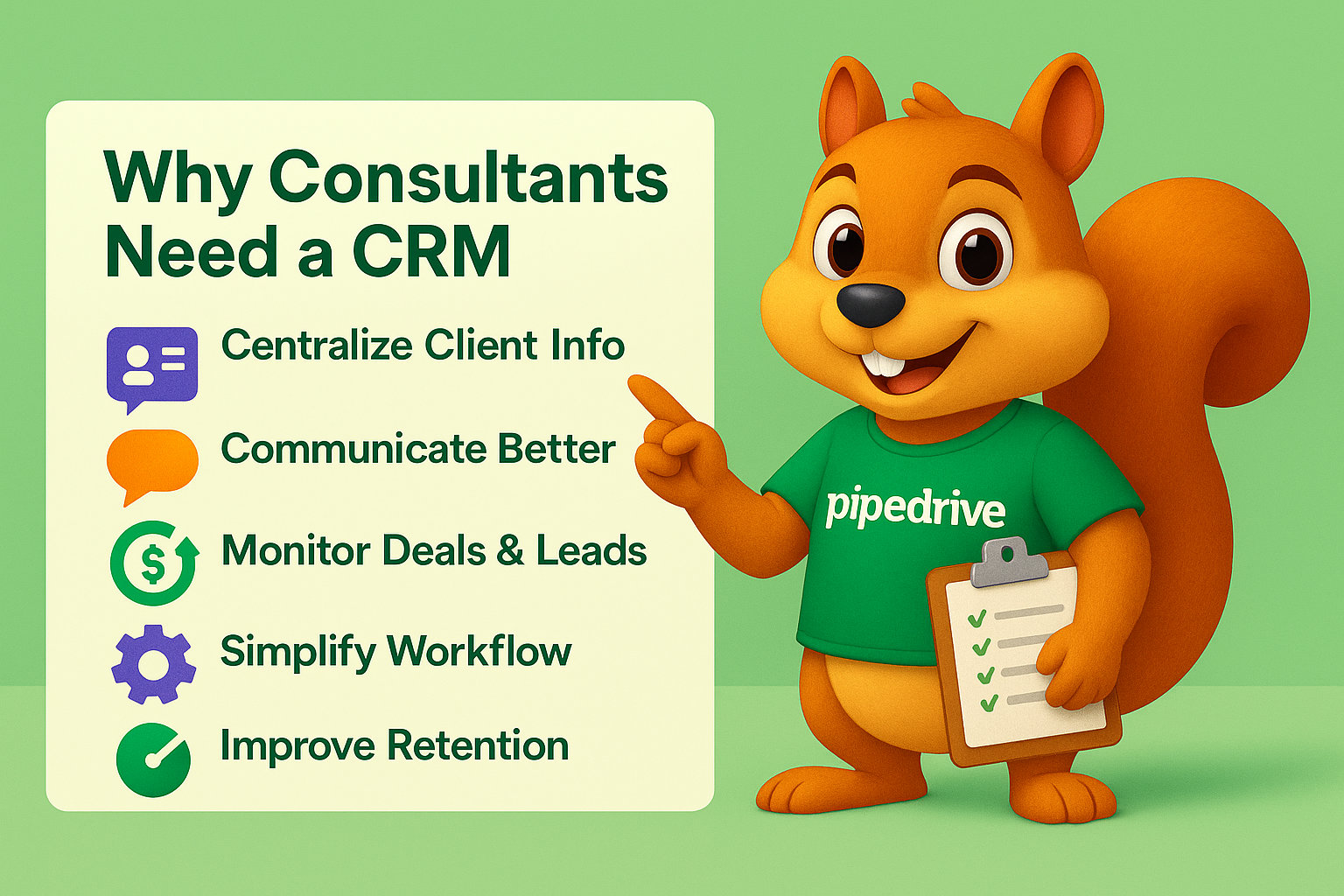
Why Consultants Need a CRM
Consultants often start with a spreadsheet, email inbox, and calendar. That setup can work when you manage only a few clients. It becomes unreliable when your business begins receiving more enquiries, sending multiple proposals, working with several decision-makers, or handling ongoing retainers.
A CRM gives you a structured, shared record of every prospect and client relationship. Instead of asking, “Did I reply to that prospect?” or “Who owns the next step?” you can see the answer immediately.
A good CRM helps consultants:
- Track new leads from referrals, websites, LinkedIn, events, and partnerships.
- Record discovery-call notes and client challenges.
- Manage proposal, quotation, and contract follow-ups.
- Keep stakeholder details in one client record.
- Create reminders for meetings, renewals, and check-ins.
- Segment clients by industry, service, value, or lifecycle stage.
- Track referrals and client-source performance.
- Improve client handover from sales to delivery.
- Build dashboards for pipeline value, conversion, and forecasted revenue.
- Create a more consistent client experience as the firm grows.
The objective is not to turn consulting into an impersonal automated process. It is to remove admin pressure so you can spend more time advising clients and building relationships.
What Features Should a CRM for Consultants Include?
Consultants do not need every feature available in enterprise CRM software. They need the tools that support a high-trust, relationship-driven sales process and ongoing account management.
The most useful features are the ones that help you capture context, act on it consistently, and measure what creates revenue.
Pipeline and Proposal Management
Your CRM should let you track opportunities from the first enquiry through qualification, discovery, proposal, negotiation, signed agreement, onboarding, and retained-client growth.
A practical consulting pipeline might look like this:
- New enquiry
- Fit check
- Discovery call booked
- Discovery completed
- Proposal sent
- Decision pending
- Won and onboarding
- Active client
- Review, renewal, or referral opportunity
Each stage should show genuine buyer progress. “Follow up” is an action, not a meaningful pipeline stage.
Contact, Company, and Stakeholder Records
Consulting projects often involve several people: the business owner, finance manager, marketing lead, operations manager, project sponsor, and day-to-day contact. Your CRM should connect these contacts to the correct company and opportunity.
This saves time before calls and helps you understand who influences the decision.
Follow-Up Automation
A proposal sent without a planned follow-up is one of the most common leaks in a consulting sales process. Your CRM should create reminders, task sequences, and email follow-ups so valuable opportunities do not go cold.
For example, when a proposal is sent, the CRM can automatically create a follow-up call task for three business days later.
Custom Fields
Consultants need information that generic CRMs do not always include. Custom fields let you track the details that affect qualification, proposal scope, onboarding, and reporting.
Useful fields include:
- Service required.
- Current software or provider.
- Budget range.
- Number of users or team members.
- Main business challenge.
- Project start date.
- Decision-maker role.
- Required integrations.
- Contract or renewal date.
- Referral source.
Reporting and Client Retention Tools
Your CRM should help you understand which lead sources, services, industries, and client types produce the best outcomes. It should also help you stay proactive with existing clients.
Useful reports include pipeline value by service, win rate by source, average deal size, proposal-to-win rate, sales-cycle length, renewal dates, and referral sources.
1. Pipedrive: Best Overall CRM for Consultants
Pipedrive is the best overall CRM for consultants who want a clear, practical system for winning and managing clients. It is built around visual pipelines, sales activities, follow-ups, automation, reporting, and customization.
Pipedrive is especially useful for consultants whose sales process involves discovery calls, proposals, negotiations, contracts, and recurring client relationships.
Why Pipedrive Works for Consultants
Pipedrive is simple enough for a solo consultant to use every day but flexible enough for a growing consulting firm. You can create custom pipelines for different services, such as strategy consulting, SEO consulting, CRM implementation, IT consulting, or ongoing retainers.
Useful Pipedrive features include:
- Visual drag-and-drop sales pipelines.
- Lead, deal, contact, and organization management.
- Activity reminders for calls, meetings, and follow-ups.
- Email sync, templates, tracking, and sequences.
- Custom fields for qualification and client data.
- Workflow automation.
- Forecasting and sales reporting.
- Document, proposal, and e-signature options.
- Mobile CRM access.
- More than 500 integrations.
Pipedrive’s pricing currently starts from around $14 per user per month on annual billing, with Growth, Premium, and Ultimate plans adding more automation, customization, and enterprise controls. Review Pipedrive’s live pricing and features.
Pros: Easy to use, excellent pipeline visibility, strong follow-up management, flexible custom fields, practical automation, and good value for consulting businesses.
Cons: It is primarily a sales CRM, so firms that need detailed project delivery management may need to connect Pipedrive with a project-management tool.
Best for: Independent consultants, sales consultants, marketing consultants, IT consultants, agencies, and small-to-mid-sized consulting firms.
If you want a CRM designed around your actual consulting process, CRM Squirrel’s Pipedrive setup services can help you create the right pipeline, fields, automation, reporting, and team workflow.
2. HubSpot: Best for Inbound Marketing Consultants
HubSpot is a strong option for consultants who generate clients through content marketing, SEO, website forms, webinars, lead magnets, email nurturing, and inbound campaigns.
Its main advantage is that sales, marketing, service, content, and customer data can sit within the same ecosystem.
Why HubSpot Works for Consultants
HubSpot can help a consultant track a prospect from their first website visit to booked discovery call, proposal, signed client agreement, and post-project communication. This is especially useful for firms with a strong content engine or marketing-led sales process.
Useful HubSpot features include:
- Free CRM for up to two users.
- Contact, company, deal, and pipeline management.
- Website forms, landing pages, and live chat.
- Email marketing and nurture workflows.
- Meeting scheduling.
- Sales sequences and templates.
- Lead scoring.
- Marketing and sales reporting.
- Ticketing and customer-service tools.
HubSpot offers free CRM tools, while paid Sales Hub plans currently start from around $20 per seat per month. Advanced sales and marketing automation can require Professional or Enterprise plans, which increase overall costs.
Pros: Excellent inbound marketing ecosystem, free starting option, strong sales and marketing connection, and useful website lead-capture tools.
Cons: Costs can rise quickly as you add Marketing Hub, advanced automation, more contacts, and higher-tier features.
Best for: Content marketers, SEO consultants, growth consultants, digital agencies, and consulting firms with an inbound lead-generation strategy.
3. Zoho CRM: Best for Customizable Consulting Workflows
Zoho CRM is a flexible choice for consultants that need custom workflows, reporting, fields, automation, and connections to a wider business-app ecosystem.
It can be particularly valuable for consulting firms that want CRM, finance, email marketing, support, analytics, invoicing, and project tools from connected Zoho applications.
Why Zoho CRM Works for Consultants
Zoho CRM allows businesses to tailor modules, fields, automations, and approval processes around their own client journey. A consultancy can create a custom process for lead qualification, scope approval, proposal review, project handover, and renewal management.
Useful Zoho CRM features include:
- Lead, deal, account, and contact management.
- Custom modules and custom fields.
- Workflow automation.
- Blueprint process controls.
- Lead scoring.
- Reporting and forecasting.
- Telephony and email integrations.
- Mobile apps.
- Zia AI features on applicable plans.
- Connections with Zoho Books, Zoho Desk, Zoho Campaigns, and Zoho Analytics.
Zoho CRM has a free edition for up to three users. Paid plans generally start from around $14 per user per month on annual billing.
Pros: Strong customization, flexible workflows, broad Zoho ecosystem, free entry option, and good value for growing firms.
Cons: Setup can take more time than Pipedrive, and the interface may feel more complex for teams without a clear CRM process.
Best for: Multi-service consultancies, operational consultants, IT firms, finance consultants, and businesses already using Zoho tools.
4. Salesforce: Best for Enterprise Consulting Firms
Salesforce is an enterprise CRM platform suited to larger consulting firms with complex processes, multiple departments, regional teams, strict permissions, and major integration requirements.
It is extremely capable but requires more planning, implementation expertise, training, and budget than the typical solo consultant or small firm needs.
Why Salesforce Works for Consultants
Salesforce can be configured around highly detailed consulting workflows, including account planning, opportunity management, contract approvals, customer success, service cases, complex reporting, and integrations with enterprise tools.
Useful Salesforce capabilities include:
- Extensive customization.
- Advanced workflow automation.
- Enterprise reporting and dashboards.
- Sales and service workflows.
- Advanced permissions and governance.
- API and integration capabilities.
- Industry-focused solutions.
- Large partner and app ecosystem.
- AI-supported sales and service features.
Salesforce entry-level CRM options may start from approximately $25 per user per month, but enterprise consulting deployments often require higher plans, implementation support, and additional products.
Pros: Highly scalable, deeply customizable, strong enterprise security, and extensive integration options.
Cons: Higher cost, longer setup time, and more administration than many small consulting firms require.
Best for: Large consulting firms, enterprise advisory practices, regulated industries, and firms with complex client operations.
5. Copper CRM: Best for Google Workspace Consultants
Copper is a useful CRM for consultants who spend most of their working day in Gmail, Google Calendar, Google Drive, and Google Workspace.
Its core value is reducing the need to switch between systems while keeping client conversations and opportunities organized.
Why Copper Works for Consultants
Copper is designed to work closely with Google Workspace. This can be useful for consultants who already manage client communication, calendars, documents, and proposals through Google tools.
Useful Copper features include:
- Gmail and Google Calendar integration.
- Contact and opportunity management.
- Pipeline tracking.
- Task and reminder management.
- Workflow automation.
- Reporting and dashboards.
- Email communication tracking.
- Mobile access.
Copper pricing and features vary by plan and billing arrangement, so review the current Copper pricing page before selecting a package.
Pros: Strong Google Workspace experience, easy email-based workflow, and less manual data entry for Gmail-heavy consultants.
Cons: It is less attractive if your firm does not rely on Google Workspace, and some advanced CRM needs may require a higher plan.
Best for: Google Workspace consultants, virtual consultants, freelancers, and small advisory firms that live in Gmail and Google Calendar.
6. Insightly: Best for Project-Based Consultants
Insightly is a good option for consultants that want to connect client acquisition with project delivery. It combines CRM tools with project-management capabilities, making it useful for firms with structured deliverables and milestone-based work.
Why Insightly Works for Consultants
Many consulting projects do not end when a deal is won. The firm still needs to manage client onboarding, milestones, tasks, deadlines, deliverables, and relationship health. Insightly helps connect these areas.
Useful Insightly features include:
- Lead and opportunity management.
- Contact and organization records.
- Project and milestone tracking.
- Task management.
- Workflow automation.
- Custom fields and objects.
- Reporting and dashboards.
- Email and calendar connections.
- Mobile apps.
Insightly pricing varies by product and edition. Review the current Insightly CRM pricing before choosing a plan.
Pros: Useful CRM and project-management combination, good for long-term engagements, and supports structured client delivery.
Cons: The interface can feel less simple than Pipedrive, and firms with highly advanced project needs may still prefer a dedicated project platform.
Best for: Management consultants, implementation consultants, engineering consultants, business advisors, and firms managing client deliverables over several months.
7. Close: Best for High-Volume Sales Consultants
Close is a sales CRM designed for teams that rely heavily on calling, SMS, email, follow-up, and fast lead conversion. It is especially relevant for consultants who sell through outbound outreach or manage an appointment-setting process.
Why Close Works for Consultants
Close brings calling, power dialing, email, SMS, pipeline management, workflows, and reporting into one sales workspace. This can reduce the need to connect several separate communication tools.
Useful Close features include:
- Built-in calling.
- Power and predictive dialers.
- SMS and email communication.
- Call recording and AI summaries.
- Pipeline and lead management.
- Workflow automation.
- Lead routing.
- Sales activity reporting.
- Native forms.
- AI-supported follow-up tools.
Close pricing currently starts from around $19 per user per month for solo operators, while phone numbers and AI call-assistance features can involve separate add-on and usage costs.
Pros: Strong calling and outreach tools, built for fast-moving sales teams, communication in one place, and useful automation.
Cons: Less suitable for consultants whose business is primarily inbound, project-led, or focused on broad marketing automation.
Best for: Sales consultants, recruitment consultants, appointment-setting teams, business-development consultants, and high-volume outbound agencies.
8. Keap: Best for Automation-First Consultants
Keap is a CRM and automation platform aimed at small businesses that want to combine lead capture, follow-up sequences, appointment scheduling, payments, and client communication.
It is a good option for consultants who sell standardized offers, coaching packages, retainers, workshops, or recurring services.
Why Keap Works for Consultants
Keap can automate many repetitive client-acquisition and nurturing activities. For example, a new enquiry can receive a confirmation email, booking link, follow-up sequence, payment request, and onboarding communication based on its status.
Useful Keap features include:
- Contact and client management.
- Automated email sequences.
- Landing pages and forms.
- Appointment scheduling.
- Payment and invoicing tools.
- Workflow automation.
- Pipeline tracking.
- Segmentation.
- Campaign reporting.
Keap pricing is based on plan level, users, and contacts.
Pros: Strong automation, payments and scheduling options, useful for productized services, and good client-nurture capabilities.
Cons: Can be more expensive than a basic sales CRM and may be more automation-heavy than a relationship-led consulting practice needs.
Best for: Coaches, business consultants, marketing consultants, consultants selling packaged services, and firms with recurring client journeys.
9. monday CRM: Best for Collaborative Consulting Teams
monday CRM is a flexible CRM platform for consulting teams that need sales, client management, task coordination, and cross-functional collaboration in a visual workspace.
It works well when a won opportunity requires involvement from several people, such as consultants, delivery managers, marketing staff, finance teams, and client-success managers.
Why monday CRM Works for Consultants
monday CRM uses customizable boards, automations, dashboards, and views. This makes it useful for consulting firms that want to build their own process rather than work within a traditional CRM structure.
Useful monday CRM features include:
- Unlimited pipelines on applicable plans.
- Contact, deal, and account boards.
- Email and communication tracking.
- Automation rules.
- Task and project collaboration.
- Dashboards and reporting.
- Custom workflow design.
- Mobile apps.
- Integrations with common business tools.
monday CRM pricing starts from approximately $12 per user per month on annual billing, although the most useful features for sales teams may require higher plans.
Pros: Highly visual, flexible for team collaboration, useful for custom workflows, and strong for connecting sales with delivery tasks.
Cons: It is less sales-focused than Pipedrive, and the level of flexibility can require more process design before implementation.
Best for: Collaborative consulting firms, implementation agencies, operational consultancies, and teams managing complex client handovers.
10. Freshsales: Best Budget-Friendly CRM for Growing Consultants
Freshsales is a sales CRM from Freshworks that combines lead management, deals, email, phone, chat, automation, and AI-supported features in a relatively accessible platform.
It is a good choice for smaller consulting firms that want more communication tools inside the CRM without committing to a more expensive enterprise platform.
Why Freshsales Works for Consultants
Freshsales provides a clear way to manage leads, conversations, contacts, deals, and next actions. It also fits well with Freshdesk and other Freshworks products if your consulting firm needs support-ticket or client-service functionality.
Useful Freshsales features include:
- Contact lifecycle stages.
- Deal pipeline management.
- Email, phone, and chat capabilities.
- Custom fields.
- Email templates.
- Lead scoring.
- Workflow automation.
- Sales reporting.
- Mobile CRM access.
- Freshworks ecosystem integrations.
Freshsales pricing starts from around $9 per user per month on annual billing, with higher plans offering more advanced automation and AI capabilities.
Pros: Affordable entry point, communication-focused tools, clean interface, and good value for a growing consultancy.
Cons: Advanced features may require higher plans, and its marketing capabilities are not as extensive as HubSpot’s.
Best for: Small consulting firms, tech consultants, service providers, and consultants wanting a budget-friendly CRM with built-in communication tools.
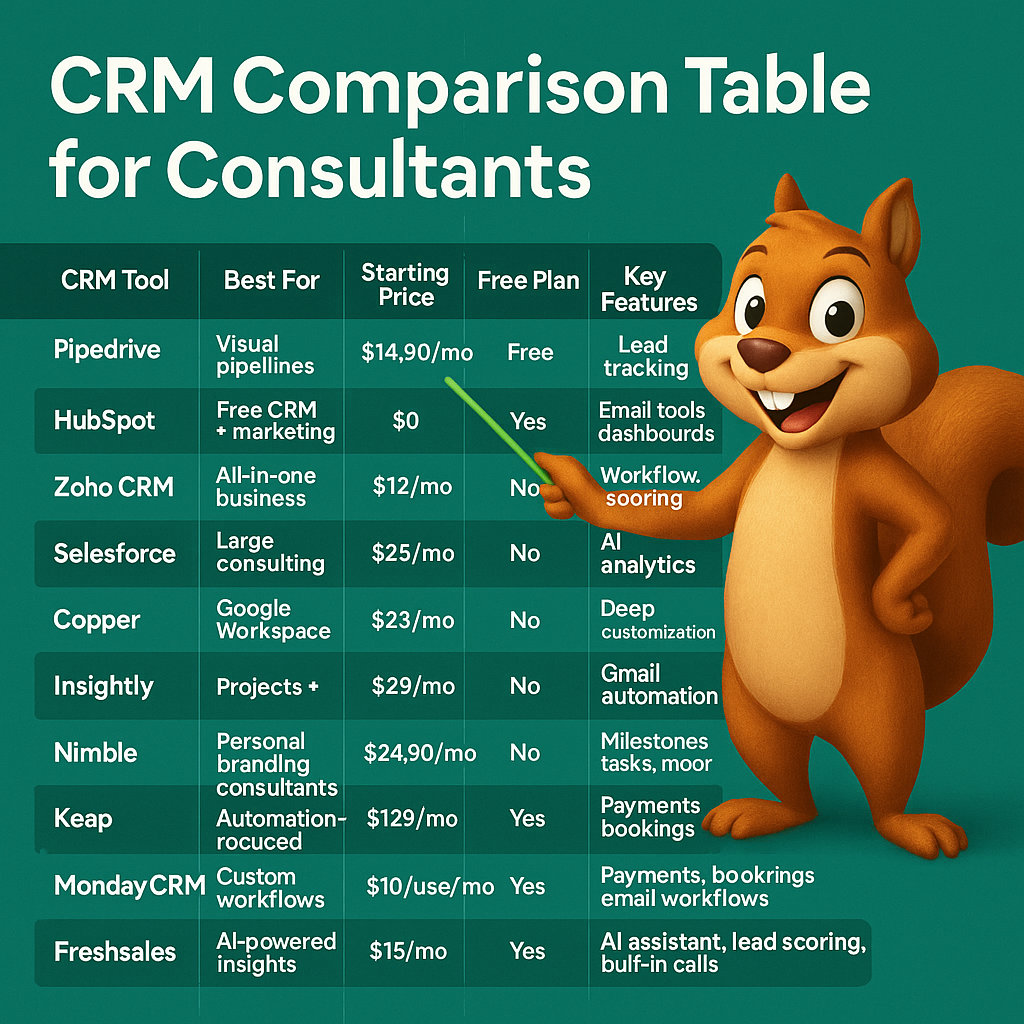
CRM Comparison for Consultants
This comparison gives a quick view of where each platform fits. Pricing is a starting point only and may change based on annual billing, users, contacts, add-ons, onboarding, taxes, and region.
| CRM | Best For | Starting Pricing* | Main Strength |
|---|---|---|---|
| Pipedrive | Most independent and growing consultants | From $14/user/month | Pipeline, follow-up, and sales simplicity |
| HubSpot | Inbound and marketing-led consultants | Free; paid from $20/seat/month | Marketing, sales, and service ecosystem |
| Zoho CRM | Custom workflow consulting firms | Free; paid from $14/user/month | Customization and connected business tools |
| Salesforce | Enterprise consulting firms | From about $25/user/month | Scale, integration, and advanced customization |
| Copper | Google Workspace users | Check live pricing | Gmail and Google Calendar workflow |
| Insightly | Project-led consulting firms | Check live pricing | CRM plus project management |
| Close | Outbound sales consultants | From $19/user/month | Calling, SMS, email, and sales activity |
| Keap | Automation-first consultants | Check live pricing | Nurturing, scheduling, and payments |
| monday CRM | Collaborative consulting teams | From $12/user/month | Custom workflows and team coordination |
| Freshsales | Budget-conscious growing firms | From $9/user/month | CRM with email, chat, and phone tools |
*Pricing was checked against publicly available vendor information in July 2026. Always verify live pricing before purchasing.
How to Set Up a Consulting CRM Properly
Choosing the software is only the first step. The value comes from how well the CRM reflects your consulting sales process and client-management workflow.
Start by defining the stages from enquiry to long-term client relationship. Then decide which information needs to be captured at each point.
A practical setup should include:
- A clearly defined consulting pipeline.
- Qualification questions for every new opportunity.
- A standard discovery-call process.
- Custom fields for service, budget, timeline, stakeholders, and scope.
- Proposal follow-up reminders.
- A structured lost-deal reason list.
- Clear handover steps from sales to delivery.
- Client review and renewal reminders.
- Referral-tracking fields.
- Reports for pipeline, win rate, source, and service performance.
For Pipedrive users, a Pipedrive consultant can help you avoid generic pipelines and create a system that supports your exact consulting workflow. You can also explore Pipedrive API integration services if your CRM needs to connect with proposal software, accounting systems, project-management tools, or custom applications.
Why Pipedrive Is the Best CRM for Most Consultants
Pipedrive is the strongest overall choice because it solves the daily problems that consultants face most often: missed follow-ups, unclear pipeline status, scattered client details, inconsistent proposal tracking, and unreliable sales forecasting.
It is not trying to be every business application in one place. It gives consultants a practical sales operating system that is easy to understand, quick to implement, and flexible enough to grow with the firm.
Pipedrive is especially effective when you need to:
- See every active opportunity at a glance.
- Keep a next action on every deal.
- Standardize lead qualification.
- Follow up after proposals consistently.
- Track high-value consulting opportunities.
- Build dashboards without heavy CRM administration.
- Connect sales activity with your wider tech stack.
- Create a better handover into onboarding and delivery.
If your team needs stronger follow-up workflows, read our guide to Pipedrive marketing automation and build automations that support clients without making communication feel generic.
Final Verdict
The best CRM for consultants depends on how you attract, sell to, and support clients.
Choose Pipedrive if you want a straightforward CRM that helps you manage leads, discovery calls, proposals, follow-ups, and long-term client opportunities without unnecessary complexity.
Choose HubSpot if marketing and inbound lead generation are central to your business. Choose Zoho if your firm needs broad customization and connected business apps. Choose Salesforce if you are running a large enterprise consultancy. Choose Insightly or monday CRM if project delivery and collaboration need to sit closer to the CRM.
For most consultants, Pipedrive offers the best balance of usability, sales focus, automation, reporting, and cost. Start with CRM Squirrel’s exclusive 45-day Pipedrive free trial and create a CRM process that helps you win better clients, retain them longer, and grow through referrals.
Frequently Asked Questions
What is the best CRM for independent consultants?
Pipedrive is one of the best CRM options for independent consultants because it is easy to use, focused on deals and follow-ups, and flexible enough to manage leads, proposals, client notes, calls, and renewal opportunities.
Do consultants need a CRM if they only have a few clients?
Yes, especially if you want to grow. A CRM helps you manage leads, keep client information organized, follow up on proposals, record communication, and build a repeatable process before your workload becomes difficult to manage.
What is the best free CRM for consultants?
HubSpot and Zoho CRM both offer free CRM options. HubSpot is often better for marketing-led consultants, while Zoho can be useful for small teams that want a flexible free CRM foundation.
Can a CRM manage consulting projects?
Some CRMs include basic project-management tools, while others integrate with dedicated project platforms. Insightly and monday CRM are useful for project-oriented workflows. Pipedrive works well for client acquisition and can connect with project-management software for delivery.
Is Pipedrive good for consulting firms?
Yes. Pipedrive is especially good for consulting firms that need to manage discovery calls, proposals, negotiations, client onboarding, follow-up tasks, and reporting. It is a strong fit for solo consultants, agencies, and growing consulting teams.
How much should a consultant spend on CRM software?
The right budget depends on the value of one new client and the time the CRM saves. Many consultants can start with a CRM costing around $10 to $40 per user per month. Enterprise systems can cost considerably more once implementation, onboarding, integrations, and advanced features are included.


