
2025’s Best CRM for Lawyers & Legal Professionals

Do you manage cases in your company using only Excel?
Imagine a case where your legal team needs a rush to get last week’s deposition notes before or on Monday morning. Key dates are not kept. Case files have been moved and placed all over the place.
Many emails end up lost in an inbox that is full of messages. If everything I said feels personal to you, many others are in the same boat.
The pressure facing law firms in 2025 is greater than ever, due to an increase in cases, more demanding client needs, new regulations, and advancing technological trends.
Even so, plenty of lawyers still depend on tools such as Excel, email and writing notes by hand to run their firm.
The truth is that if you don’t have a way to manage all your cases and client information in one place, your firm is wasting time, money and goodwill with customers.
A strong CRM (Customer Relationship Management) made especially for lawyers is where you should look.
Check out CRM Squirrel to get started.
The top 10 best CRMs for lawyers in 2025 are reviewed in this blog to guide solo practitioners, small firms, and those handling legal operations on auto-importing new clients, following cases step by step, and improving billing, all while keeping law firms in compliance.
Let us explore and discover which CRM system is suited to your law firm.
Why Do Lawyers Need CRM in 2025?
Before we go over the best tools, let’s address something important first:
Why should a law firm use a CRM?
Treat your CRM as a digital assistant for your legal work and see how much better it performs. It’s not only for storing contacts. A CRM is used by lawyers for purposes such as
- Enabling registration through the web
- Managing how cases are tracked
- Reminders to take action
- A record of the company’s documents and communication data
- Billing & payment functions
- Monitoring and changing the status of leads and pipelines
Today, clients expect lawyers to communicate clearly and promptly.
With professional management software, nothing goes overlooked, every business opportunity is noticed, and all deadlines are met.
If you run a solo law practice or manage an office of 50 attorneys, a good CRM system helps you keep everyone working together.
What to Look for in a Legal CRM: Features That Truly Support Law Firms
All CRM systems promise to help companies work faster, cut down on time spent, and operate more efficiently.
But working in law is very complex and carries the potential for getting into serious legal trouble.
It’s unlike the advertising or sales world. That’s the reason legal professionals must have advanced CRM support. They require a framework that fits their work process, client ties and how cases are handled.
Whether you’re a solo attorney juggling multiple case files or a law firm manager overseeing a team of paralegals, choosing the right CRM means finding features that understand the rhythm of legal practice.
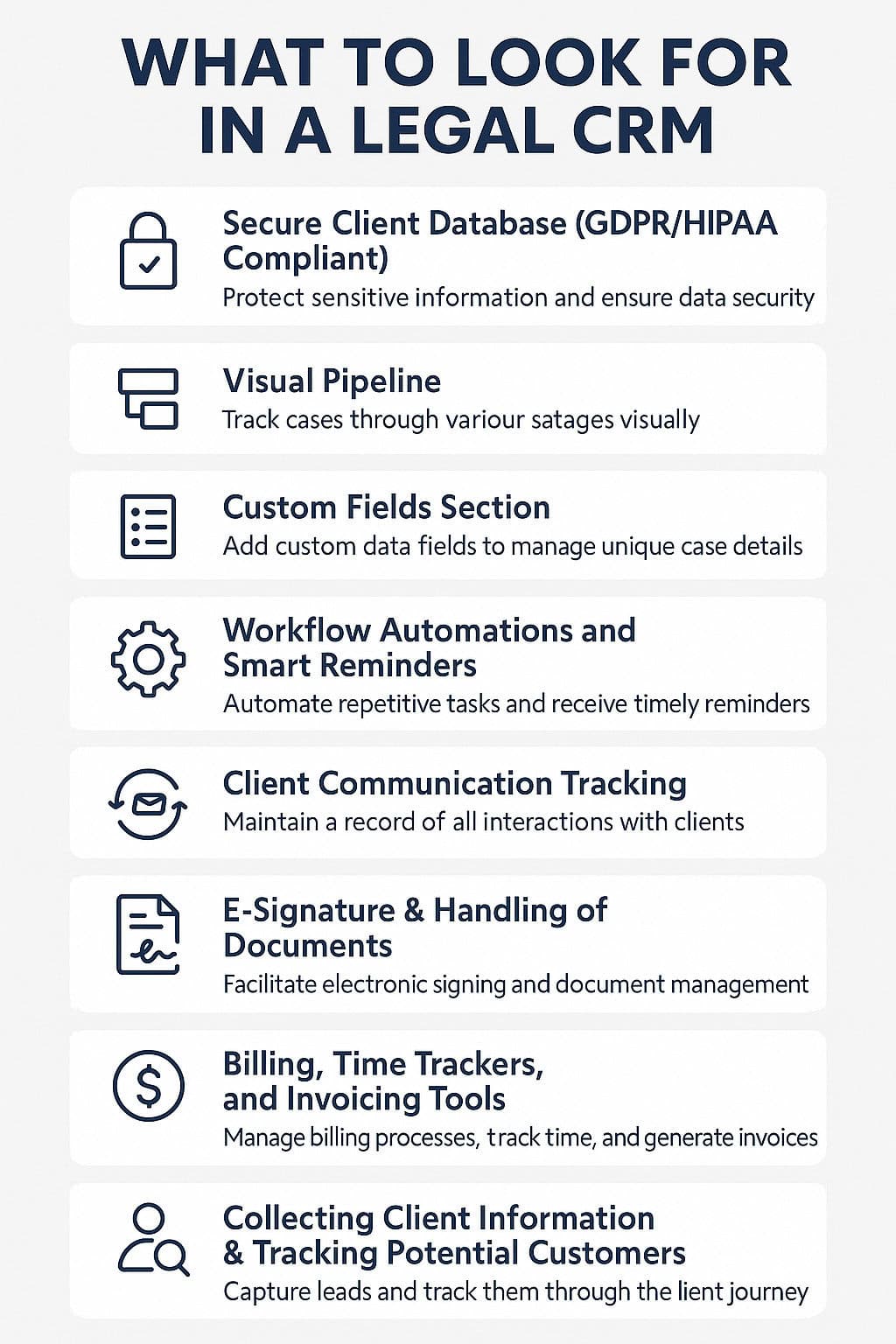
These are the functions you must have in your CRM if it’s made for law firms:
1. Secure Client Database (GDPR/HIPAA Compliant)
Legal matters involve highly private and respectable information. This means your CRM needs to offer more than regular security. Look for platforms with end-to-end encryption, two-factor authentication, and compliance with legal data standards like GDPR, CCPA, or HIPAA (for firms dealing with health-related cases).
Why it counts:
You have to protect client confidentiality by law as well as by ethics. A single mistake could lead to your company losing in court, suffering a damaged reputation, or facing litigation.
2. Visual Pipeline
Traditional CRMs follow the sales pipeline, while legal CRMs turn that into a case-tracking workflow. You can move matters through stages like “New Lead,” “Consultation,” “Retainer Signed,” “Discovery,” “Hearing Scheduled,” and “Closed.”
Why it matters:
It’s important because a clear list of all your open cases lets you see where to focus, keep an eye on significant steps, and avoid missing anything.
3. Custom Fields Section
Every lawyer’s career is not the same. You may have to monitor how many cases you have, the dates your cases are scheduled for, who you are up against, in which region your cases belong, or relevant laws. You can add custom fields to a good CRM that fit your type of law practice.
The significance:
When your CRM matches your everyday tasks, less time is spent fixing errors and search issues, and your data is more accurate.
4. Workflow Automations and Smart Reminders
When you spend time on admin work, you are not billing your clients. With legal CRMs, a lot of administrative tasks are done automatically.
- Have an email sent automatically after you finish an intake call
- Identify and assign a work task as soon as the retainer agreement is completed
- Reach out to leads who don’t respond after a certain amount of time
The significance:
Organize to be reminded about preparation for court well in advance. Automation helps reduce boring work, keeps everything in your practice tidy, and ensures you never miss contacting clients.
5. Client Communication Tracking
Legal services rely on every single interaction with clients. An automated CRM means you always keep a record of all your emails, calls, meeting notes and case changes.
The significance:
It matters because in arguments, this ensures you are treated fairly and you can be honest with everyone you work with.
6. E-Signature & Handling of Documents
Stacks of legal documents are never finished being created. You should look for a CRM that either includes or matches up with tools like DocuSign, PandaDoc, or Adobe Sign to send, receive and store contracts or important documents securely.
The significance:
It is important because digital signatures help you work faster and ensure your documents haven’t been changed.
7. Billing, Time Trackers, and Automatic Invoicing Tools
Make sure there are useful built-in tools or seamless integrations that give you:
- Estimate how much time you spend working on each client or case
- Make invoices for customers automatically.
- Online payouts are now the norm.
- Connect your business with accounting services such as QuickBooks or Xero
Why it’s important:
Getting the billing right helps you get fair payment and builds a trusting relationship with your clients. Using this approach also helps improve the balance of your accounts and reduce arguments over invoices.
8. Collecting Client Information & Tracking Potential Customers
With a legal CRM, you should easily capture web-based inquiries, help them move along their journey, and sort them for consultation. A smooth way of taking new clients from start to finish helps set a positive mood for your law firm.
Why it’s important:
Increasing your caseload relies heavily on capturing and converting leads.
9. Automatic Sync with The Course’s Calendar And Deadline Alerts
If you are late for a court date or the filing deadline, your case might be lost. Because of CRM calendar integration and reminders:
- You are always prepared to keep deadlines
- You can easily import your calendar into Google, Outlook, or iCal.
- You can give particular events to individual team members.
Why it’s important:
It is important because law firms work according to tight deadlines, and your CRM should keep you ahead of these deadlines.
10. Access to Data Using Mobile Devices
Lawyers now use a variety of spaces, which isn’t limited to the office environment alone. A strong CRM comes with safe access on the web and mobile apps designed to work anywhere on any device.
If you’re going to court, driving, or working remotely, you can:
- Study the facts of the case.
- In your day-to-day work, log and update your notes as you go.
- Connect with your clients or your colleagues
Being connected with your device helps you stay active and answer messages whenever you want.
A CRM designed for lawyers acts as more than a storage system. It also partners with you. The correct platform enables you to
- Create a remarkable impression on every client
- You will be able to complete your tasks more quickly and more accurately.
- Evolve your business while still maintaining our standards
Try to avoid using ordinary tools. Focus on desirable features in a legal CRM, as they will help secure your time, clients, and your law firm’s position going forward.
The 9 Best CRM Software for Lawyers in 2025
Here, we’ll run through the leading brands, detail what they do best, and who will benefit most from them.
1. Pipedrive
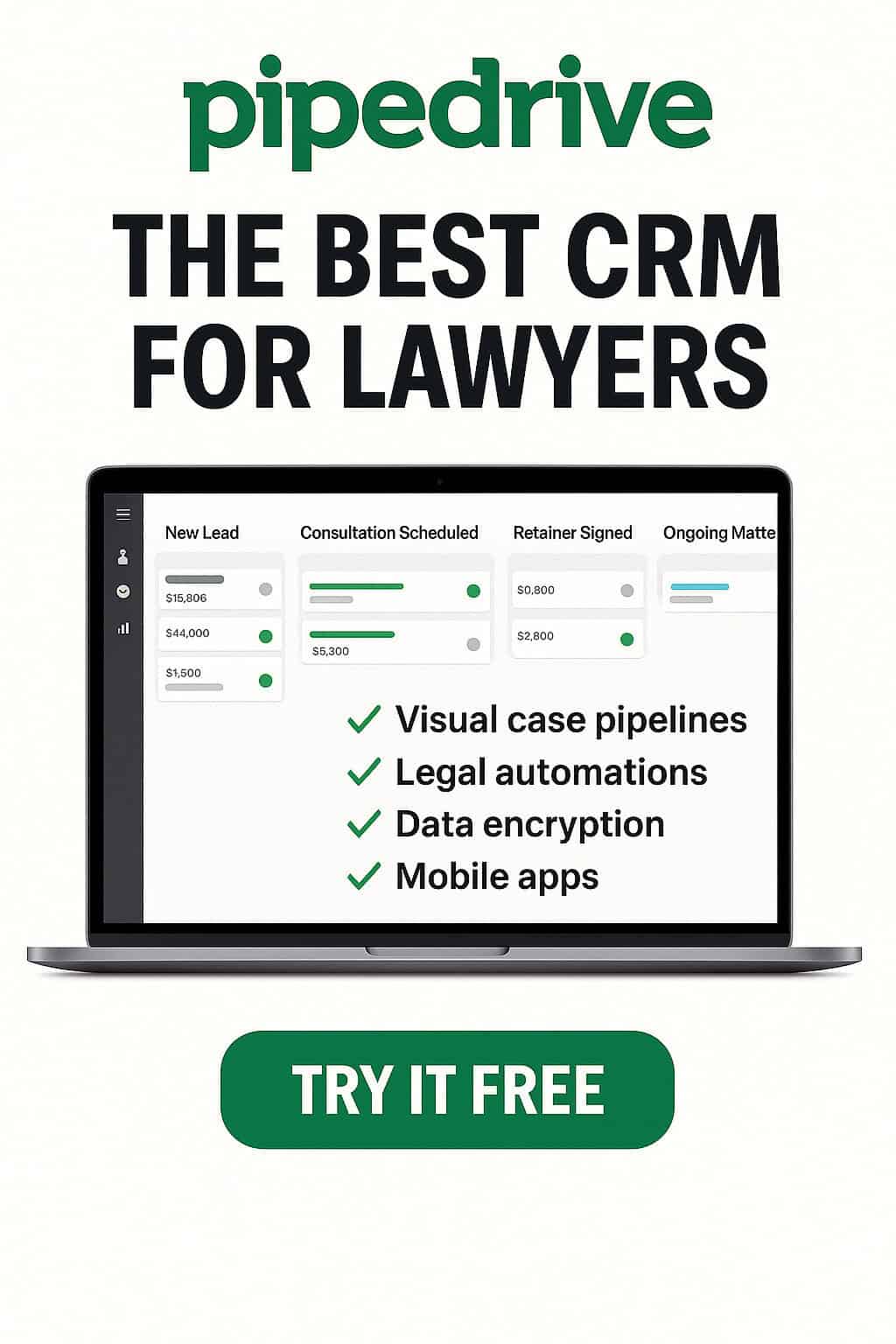
You will find that Pipedrive stands out with its user-friendly interface, customization and impressive automation tools.
Pipedrive best for those interested in:
Law firms of any size, including solo lawyers who wish for easy-to-use visual pipelines and automation, can now choose them.
Pipedrive Important Functions:
- Design your case pipelines with easy-to-use drag-and-drop tools.
- Automating tasks related to following up with people
- Clients can choose how to provide their information.
- Calendar that includes alerts for different activities
- The ability to use email, e-signatures and billing software
- Having and utilizing storage documents & automation
- All software is fully mobile and cloud-based.
Pros of Pipedrive:
- Simple to figure out and there’s not much to learn
- Proper documentation & designed to meet objectives
- Small businesses can use the service at an affordable price.
- It combines with more than 300 apps such as Clio, Outlook, Google and DocuSign.
Cons of Pipedrive:
- Doesn’t offer built-in legal billing (but integrates with tools like QuickBooks or Xero)
- A good way to improve integration is by…
Integration
Team up Pipedrive with Zapier + Clio Grow to handle case management and billing in a simple way.
Ready To Streamline Your Legal Practice?
Click Here To Start Your Free 45-Day Pipedrive Trial Today
2. Clio Grow

Clio Grow best for those interested in:
Firms that require an easy way to handle both business management and new client intake.
Cilo Grow Features:
- Applicant intake documents, H1B/G-4 database
- Signatures can be made online, schedules can be set using the app and certain tasks are done automatically
- Journaling cases, producing bills and monitoring how time is spent
Clio Grow Pros:
- The software is developed for lawyers.
- Works together with Clio Manage
- The company provides wonderful support from the beginning.
Clio Grow Cons:
- Increased prices
- The UI does not have the latest or most updated design.
3. Lawmatics

Lawmatics best for those interested in:
Firms that hope to have automated lead nurturing, email marketing and CRM all in one place.
Lawmatics Features:
- Clients filling out forms automatically
- Drip email marketing
- Has a legal CRM system that tracks and shows every action in a timeline
- Professional document automation
Lawmatics Pros:
All your marketing and CRM tasks are included in the same tool.
Perfect for organizations that are increasing in size
Lawmatics Cons:
- Few options when it comes to invoicing
- Requires training
4. Zoho CRM

Zoho CRM Best for:
Lawyers who operate a small firm or practice solo and look to save money.
Zoho CRM Features:
- Created pipelines
- Contact tracking and case following
- Sending emails and tasks automatically
- Legal apps that work with other software
Zoho CRM Pros:
- You can buy options that fit your needs and your budget.
- Easily customizable
Zoho CRM Cons:
- Doesn’t include legal-specific functionality from the beginning
- Is not easy for people just starting to learn
5. PracticePanther

PracticePanther Best for:
Those who use legal billing and accounting, care about calendars and need CRM should look into legal-specific software. It is the top choice for easily integrating billing with your legal CRM.
PracticePanther Features:
- Messaging that guarantees privacy
- Billings and the accounting of trusts
- CRM that has lead tracking
- Client gateway
PracticePanther Pros:
- 100% dedicated to legal subject
- It acts as a complete tool in one place
PracticePanther Cons:
- Making UI faster is important.
- Joining more users often leads to an increase in costs.
6. HubSpot CRM

HubSpot CRM Best for:
Businesses want to scale rapidly by using extended sales & marketing processes. It is very scalable and can be customized.
HubSpot CRM Features:
- Sorting clients into different sections
- Following the project’s progress
- Offering messages by email
- Ticket system
HubSpot CRM Pros:
- You can get Startup for free.
- Ready for use in large enterprises
HubSpot CRM Cons:
- Not limited to laws
- Prices can quickly go up once you start picking more features.
7. Rocket Matter

Rocket Matter Best for:
Those who decide to start on a cloud platform are on the hunt for easy-to-use time & billing. This is the top choice for cloud-based legal crm with time tracking
Rocket Matter Features:
- Lawyers need to send out proper legal bills to each client.
- One approach to CRM is workflows.
- Individual care for patients
- Efficient use of grabbing and automating document data.
Rocket Matter Pros:
- There is accounting software included in the platform.
- It’s perfect for many mid-sized companies
Rocket Matter Cons:
- Requirements that are not simple
- It can be costly for small enterprises.
8. MyCase
MyCase Best for:
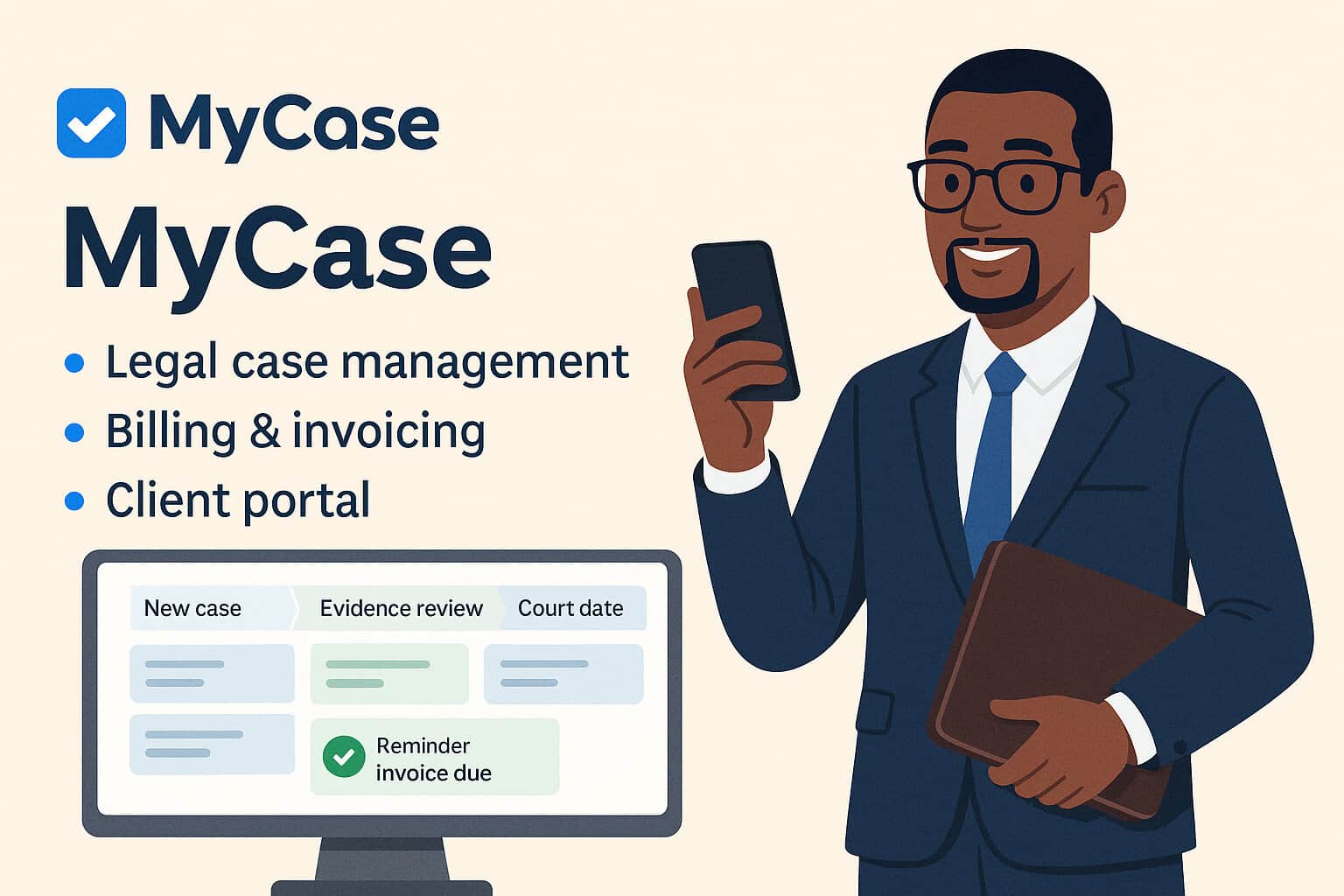
Firms need CRM, billing, document management and a calendar in one place. It ensures your entire practice is run from a single place.
MyCase Features:
- Tracking cases is an important part of public health.
- Operations that involve time and billing
- Websites that clients can use
MyCase Pros:
- Makes work more efficient
- One product for all your needs
MyCase Cons:
- Few marketing automation activities
- Custom options in the mid-range
9. Salesforce

Salesforce Ideal for those who wish to:
The largest legal teams usually have their tech teams.
Salesforce Features:
- Highly modified CRM system
- AI-powered and advanced automation
- Additional fields and arranged processes
Salesforce Pros:
- Biggest CRM on the planet
- You can customize your experience as much as you like
Salesforce Cons:
- It’s much more than required for most law firms
- The IT team has to help set up the system.
Best CRM for Lawyers – Comparison Table
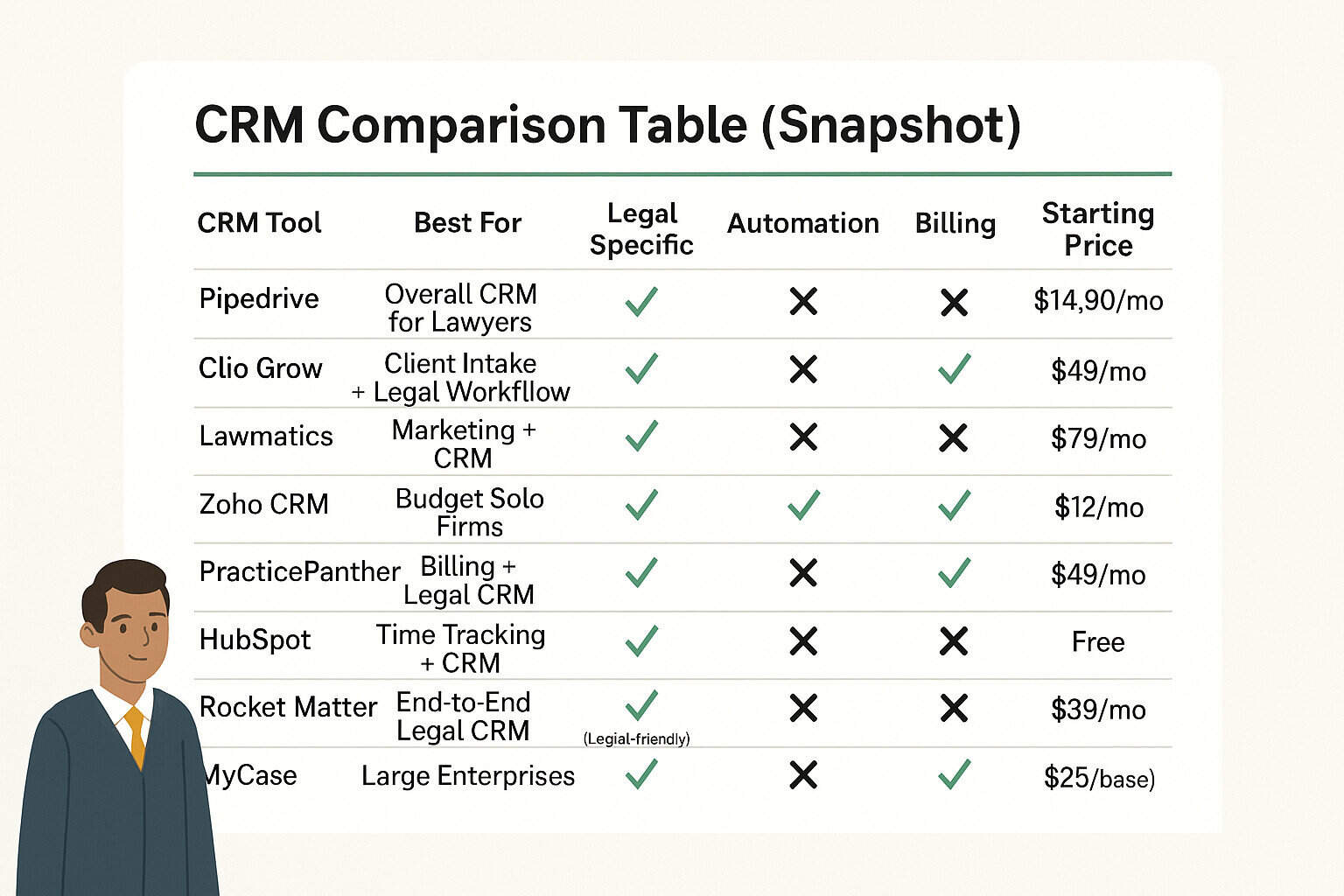
| CRM Tool | Best For | Legal Specific | Automation | Billing | Starting Price |
| Pipedrive | Overall CRM for Lawyers | ❌ (Legal-friendly) | ✅ | ❌ (via integrations) | $14/mo |
| Clio Grow | Client Intake + Legal Workflow | ✅ | ✅ | ✅ | $49/mo |
| Lawmatics | Marketing + CRM | ✅ | ✅ | ❌ | $79/mo |
| Zoho CRM | Budget Solo Firms | ❌ | ✅ | ❌ | $12/mo |
| PracticePanther | Billing + Legal CRM | ✅ | ✅ | ✅ | $49/mo |
| HubSpot | Scalable Marketing CRM | ❌ | ✅ | ❌ | Free |
| Rocket Matter | Time Tracking + CRM | ✅ | ✅ | ✅ | $39/mo |
| MyCase | End-to-End Legal CRM | ✅ | ✅ | ✅ | $49/mo |
| Salesforce | Large Enterprises | ❌ (Customizable) | ✅ | ✅ | $25/mo (base) |
Why Is Pipedrive the Best CRM for Lawyers in 2025?
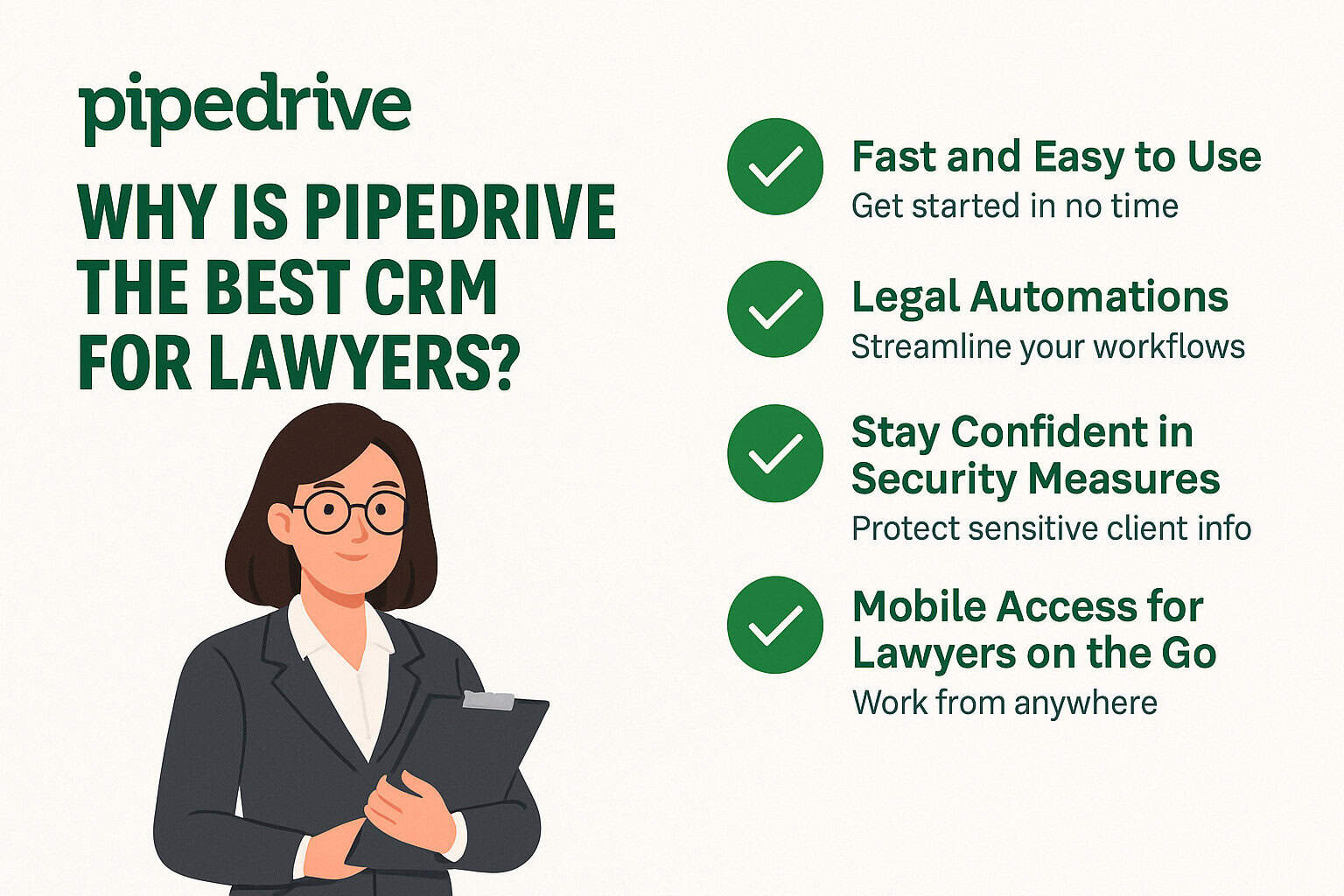
While there are many CRM solutions, Pipedrive offers legal professionals a simple, effective and customizable alternative.
Even if you’re on your own, working in a boutique firm, or have a multilocation team, Pipedrive is the top choice in 2025.
Sleep Saving Simple Design
The work done in law practices can be difficult. Your CRM does not need to be. Because simplicity is at the heart of Pipedrive, you won’t have to learn a lot before getting started, and the interfaces are clean and straightforward.
- Many lawyers handle multiple cases, emails, court visits and meetings with clients. Above all else, the message needs to be sent fast and as clearly as possible.
- The visual sales (or case) pipeline allows you to drag and drop cases between stages like “New Lead,” “Consultation Scheduled,” “Retainer Signed,” and “Ongoing Matter.”
- You can track your entire legal practice on one dashboard, without having to look through either spreadsheets or paper documents.
- Because Pipedrive makes managing your CRM simple, you will spend less time on admin tasks and more on the law itself.
Legal automations
Ask Pipedrive to manage the follow-up so you won’t have to remember.
Legal work is ideal for taking advantage of Pipedrive’s strong automation engine. You have the option to design your workflows.
- Automatically send another email after each consultation.
- Make notes to remind you of court meetings and the due dates.
- With every new client who uses your services, let your paralegal know.
- When a lead is added to the system, start sending either a request for documents or a new intake form
- Sort tasks automatically to match each team member’s skills
Because of this, you’ll never need to remind yourself, you’ll always reach your deadlines, and you’ll always offer a smooth and professional client experience—without anyone looking over your shoulder.
Stay Confident in Security Measures
Keeping information private is a requirement in the world of law.
This is something Pipedrive recognizes. It’s because of this those lawyers add multiple ways to secure legal data and ensure the attorney-client privilege is protected.
- Two-factor authentication (2FA) helps prevent unauthorized access. These types of controls guarantee that only the employees who have permission do so without a problem.
- GDPR, CCPA, and data localization compliance mean you’re covered across various jurisdictions and privacy regulations.
- Secure backups and end-to-end encryption ensure peace of mind, whether you’re dealing with client contracts, case notes, or court documents.
Pipedrive helps you uphold both your company’s reputation and trust with clients.
Easy Integration with Legal Technology
Every CRM fits within a bigger picture. It becomes straightforward to link the software your firm uses, and Pipedrive creates an effective legal ecosystem.
- You can connect your work with Clio, a popular and powerful legal case management software.
- You can use integration with either DocuSign or PandaDoc for e-signing.
- Use QuickBooks, Xero or FreshBooks for taking care of your legal accounting and invoicing.
- You can manage your conversations all in one place by integrating with Gmail, Outlook, Zoom or Microsoft Teams.
- You can use Zapier to set up your workflows that join Pipedrive with many other apps.
With Pipedrive, you don’t have to overhaul your systems—you enhance them.
Mobile Access for Lawyers on the Go
Because lawyers work at all kinds of hours, their CRM should follow suit.
Pipedrive’s robust mobile app (iOS and Android) ensures that your case data, client notes, and task list are always within reach, whether you’re in court, at home, in transit, or between client meetings.
Save your latest leads and consulting remarks straight from your phone.
- You can see your case status and call log details in an instant
- Receive notifications at the time of tasks and deadlines
- Make field notes on your phone and link them to a client’s file
Moving from hearing to hearing or meeting to meeting, Pipedrive acts as your handy tool for managing your law practice.
In short, here’s why Pipedrive is a fantastic solution for law firms.
- Fast and Easy to Use: Get up and running in just minutes, no hours required. You don’t need a training manual.
- You can change workflows to match your company’s law practice.
- Specially Integrated for Lawyers: Pipedrive helps you work with popular solutions used by top law firms.
- Safe and Trustworthy: Protecting your clients’ data is built into the system.
- Work Wherever It’s Convenient: Use legal technology whether you’re in a court, meeting room or your couch.
Ready To Take Control Of Your Legal Workflow? Try Pipedrive FREE For 45 Days!
Transform Your Law Firm—Get the Best CRM Today

Whether you’re running a lean solo practice or managing a growing team, having the best CRM for lawyers in place is a game-changer.
Using one platform saves your time, keeps your group on the same page, and helps you satisfy your clients more.
Since Pipedrive is easy to use, automated and customizable, along with many other great options, it comes out on top for today’s law professionals.
Don’t allow another opportunity with a client to go unnoticed. A CRM can keep up with all the hard work your business does.
No Contracts. No Tech Team Required.
Just Powerful, Plug-And-Play CRM Built For Busy Lawyers.
Start Your Free Trial Of Pipedrive Today!
FAQs about Best CRM for Lawyers
-
Is using Pipedrive secure for confidential legal information?
Yes. Your client data is protected on Pipedrive by TLS encryption, two-factor authentication and GDPR compliance.
-
Is it possible to do legal billing using Pipedrive?
Not directly. Yet, it works smoothly with QuickBooks, Xero and Clio for fast and easy billing and invoicing.
-
Can I depend on Pipedrive to arrange court deadlines?
Absolutely. Make your tasks, get reminders for hearing dates, and sync your schedule to avoid missing any hearings.
-
Can I use Pipedrive on my phone?
Yes. You can use the iOS or Android apps to view both your cases and contacts from anywhere.
-
Is Pipedrive meant for just big companies?
Nope. Individuals and small firms will love this CRM since it’s simple to use and budget-friendly.