
Pipedrive for Real Estate: The Ultimate CRM Guide for Agents and Brokers
If you’re a real estate agent, you know the daily chaos—keeping up with leads, showings, listing updates, and client messages, sometimes all before lunch.
It’s not just busy; it’s a constant juggling act that demands a system to stay sane. Pipedrive, a popular sales CRM, can help streamline these operations by organizing your prospects and deals in one pipeline.
In this comprehensive guide, we explore how Pipedrive empowers real estate agents and brokers with industry-specific use cases, real-world success stories, key features, integrations, and a candid look at pros and cons.
We also compare Pipedrive to other top real estate CRM tools so you can determine the best fit for your business.

Why Use Pipedrive as a Real Estate CRM?
Pipedrive is not built exclusively for real estate, but its flexible, deal-centric design makes it a powerful ally for agents and brokers.
Pipedrive is fundamentally a CRM built around sales pipeline visualization and management.
Its customizable design allows real estate professionals to efficiently track clients, properties, and transactions.
Agents often choose Pipedrive for its optimal blend of powerful features and adaptability.
Let’s explore some of the key reasons why it’s become a go-to CRM for agents and brokers alike:

-
Customizable Pipelines:
Create separate pipelines for different portfolios – for example, one for property sellers (listings) and another for buyers – each with stages tailored to your sales process.
Pipedrive’s drag-and-drop Kanban board view lets you see all deals at a glance and move them through stages like New Lead, Showing Scheduled, Offer Made, Under Contract, and Closed.
You can glance at your pipeline and instantly tell which deals are getting close to the finish line—and which ones might need a little push.
-
Contact & Lead Management
Keep all your client conversations, inquiries, and follow-ups organized. Pipedrive automatically logs emails (via sync) and call notes under each contact, so you can easily track conversation histories by client or property.
You can store critical buyer/seller details (e.g. budget, desired neighborhood, or even specific data like “home inspector” or “closing attorney” involved) by adding custom fields to deals.
This centralization means less time hunting through emails and more time engaging clients.
-
Ease of Use
Pipedrive is known for its intuitive, clean interface that is “impossible to screw up,” making it easy to learn and adopt.
For busy agents who aren’t tech gurus, the user-friendly design means a shorter learning curve to get up and running.
You can record notes or updates on the fly – for instance, log buyer feedback right after a home showing – ensuring information is captured while it’s fresh.
-
Mobility
Real estate work doesn’t happen only at the office. With Pipedrive’s mobile app available on iOS and Android, agents can manage their entire pipeline while on the move.
Between property tours, you can update deal status, lookup contact info, or even take voice notes about a conversation. The app will also send activity reminders so you never forget to follow up with a client after a meeting.
-
Affordability for Teams
Compared to some niche real estate CRMs, Pipedrive offers competitive pricing (starting around $15 per user/month for the Essential plan). There’s a free trial to test it out, and you can scale up to higher tiers if you need advanced features like workflow automations or e-signatures. Small teams appreciate that they get a robust CRM without the enterprise price tag of systems like Salesforce.
In short, Pipedrive gives agents a straightforward, customizable system to manage multiple deals, track client interactions, and stay organized. It focuses on doing core CRM functions well, without a lot of unnecessary bells and whistles that can complicate your workflow.
Real Estate Use Cases and Success Stories
How exactly are real estate professionals leveraging Pipedrive in practice? Let’s look at some use cases – and a few real-world examples – that illustrate Pipedrive’s impact.
-
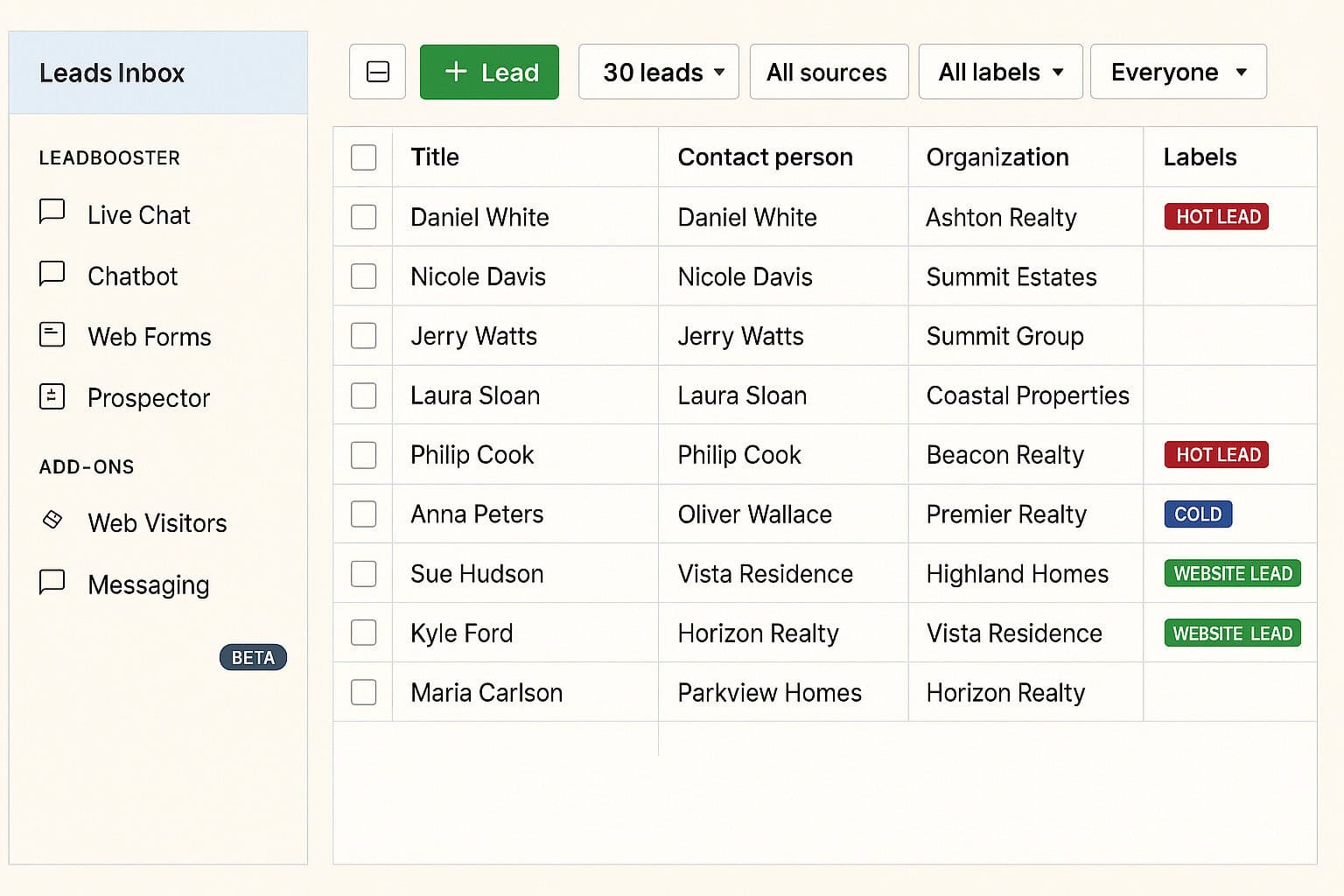
Streamlining Lead Follow-Up and Nurture
Prompt and consistent follow-up is critical in real estate sales, where responding to a new inquiry quickly can make the difference in winning a client.
Pipedrive excels at lead management by allowing you to capture incoming leads and automate the follow-up process:
-
Lead Capture & Routing
You can funnel leads from your website or lead providers (Zillow, Realtor.com, etc.) into Pipedrive using web forms or integrations.
For instance, a prospect who fills out a form to view a listing can automatically appear as a new deal in your “Buyer Leads” pipeline.
If you work on a team, Pipedrive can assign leads to specific agents to ensure a prompt response.
-
Automated Follow-Up Sequences
Set up Pipedrive’s Workflow Automation to send a personalized email or text whenever a lead reaches a certain stage.
One real estate franchising company used Pipedrive automations to send immediate update emails to new prospects – giving clients a high-touch experience without manual effort.
In their words, “We have an automation set up, so our customers receive an automatic update… We can create a great image with not a lot of money.” This kind of instant follow-up keeps leads warm and projects an image of excellent service.
-
Lead Segmentation & Nurturing
Pipedrive lets you segment contacts with filters and custom fields (e.g. by lead source, location, or buyer timeframe) to tailor your outreach.
A French real estate startup filtered leads by region and buying status – prospects vs. past clients – and with a click of a button could send a templated email to all contacts in a segment.
“When you have hundreds of contacts you need to write an email to… just have a template that you push – it saves so much time,” says the founder.
By nurturing leads with targeted messaging (such as market updates for long-term prospects), agents stay on their radar until they’re ready to transact.
Real-world example:
The team at J’achète en Espagne, a real estate franchisor in Spain, credits Pipedrive for helping them follow up with more leads than ever before.
The team was already maxed out, juggling a growing client list and limited hours in the day.
Hiring more staff wasn’t an option—so they turned to automation.
By connecting Pipedrive with Zapier and setting up simple email workflows, they streamlined their follow-up process and started reaching out faster and more consistently.
Within six months, revenue jumped 20%—and they did it all without adding a single person to payroll.
Automated emails keep their many referrals engaged, and Slack integration alerts agents to new inquiries instantly, ensuring no lead falls through the cracks.
The founder noted that thanks to Pipedrive’s integrations and “100% customizable features,” his team can respond faster and manage more clients at once – a competitive advantage in their market.

Organizing Listings, Buyers & Transactions
Real estate agents often have to track two sides of every transaction – the seller side (listing) and the buyer side. Pipedrive’s flexible pipeline model helps you keep both sides organized:
-
Multiple Pipelines
You can maintain one pipeline for listings (homeowners selling) and another for buyers, each with its own stages.
For example, your Listings pipeline might have stages like Appointment Set → Listing Contract Signed → On Market → Offer Accepted → Sold. Separately, a Buyers pipeline could track New Lead → Consultation → Actively Searching → Offer Made → Closed. Pipedrive makes it easy to switch between pipelines, giving you full visibility into all open deals.
-
Property Details in One Place
Unlike spreadsheets or basic contact managers, Pipedrive allows you to attach all relevant info per deal.
A “deal” in Pipedrive could represent a property listing or a buyer-client relationship. You can store property details, documents, and communications under that deal.
One brokerage reported that when clients emailed documents (like purchase offers or disclosures), those files were directly saved to the deal in Pipedrive, providing “peace of mind” that everything is organized.
This way, an agent preparing for closing can quickly retrieve the contract, inspection reports, and client notes from Pipedrive instead of digging through email threads.
-
Task Management & Reminders
Every stage in your pipeline can have associated tasks – for instance, “Schedule photoshoot” when a listing is signed, or “Call client after showing” when a buyer views a home. Pipedrive’s activity reminders help ensure these to-dos happen on time.
Agents can set recurring reminders (e.g. a weekly check-in call for active clients) so that nurturing doesn’t slip through.
By automating task tracking, Pipedrive enables agents to concentrate on building relationships and closing deals.
Real-world example:
PropriLib, a hybrid real estate agency in France, uses Pipedrive to manage two parallel sales cycles – signing up homeowners as clients and then selling those listings to buyers. They found other CRMs couldn’t handle this dual-tracking elegantly.
With Pipedrive, they built a simple, easy-to-learn pipeline for each cycle, which the team quickly adopted. Crucially, Pipedrive helped them shorten their sales cycle by automating repetitive steps and keeping every deal highly organized.
“Real estate transactions demand extensive documentation. A disorganized file could be a serious liability,” notes the founder of PropriLib. “With Pipedrive, everything we need is stored in one centralized location”.
Since adopting Pipedrive (with Slack integration for internal notifications), the company has grown its revenue and expanded its sales team, confident that their processes can scale smoothly.
Improving Client Communications and Service
Building strong client relationships is the heart of real estate. Pipedrive helps you deliver better service through timely communications and personalization:
-
Email Integration & Tracking
Pipedrive integrates with your email (Google, Outlook, etc.), pulling sent and received messages into the CRM.
This means if you emailed a client a new listing, you can open that contact in Pipedrive and see when they opened the email or if they clicked links (with the email tracking feature).
Pipedrive’s built-in email templates let you send polished messages quickly – for example, a price reduction announcement or a follow-up after an open house. (On higher-tier plans, you can even schedule bulk emails or use the Campaigns add-on for newsletter-style outreach.)
The system’s focus on email is so strong that one industry review named Pipedrive the “best CRM for email marketing” in real estate, praising its slick templates, segmentation, and automated follow-ups that drive personalized touchpoints.

-
Activity Timeline & Notifications
Every call, meeting, or task you log in Pipedrive creates a timeline of activities for each deal.
Before your next client meeting, you can quickly refresh yourself on all past interactions – what was discussed, when you last spoke, and what’s next.
This ensures no client ever feels forgotten.
If a week has gone by without any contact, Pipedrive can show that the client is “idle” and prompt you to reach out.
The CRM can even integrate with communication tools like WhatsApp, pulling those messages into the contact record for a complete history.
-
Scheduling & Calendar Sync
Pipedrive includes a Scheduler tool that lets you share your calendar availability via a link.
This is a handy way to book showings or consultation calls without the back-and-forth emails.
For example, you could email new leads a link to book a 15-minute intro call or a home tour slot.
Many agents find this feature “has amazing utility”, allowing new inquiries to self-schedule a buyer consultation right away and speeding up initial contact.
By using these communication features, agents can respond faster, stay organized, and provide a personalized client experience that sets them apart.
Little touches – like remembering to wish a past client on their home purchase anniversary, or immediately following up after a showing with feedback – can translate into loyal clients and referrals down the line.
Key Features and Integrations Relevant to Real Estate
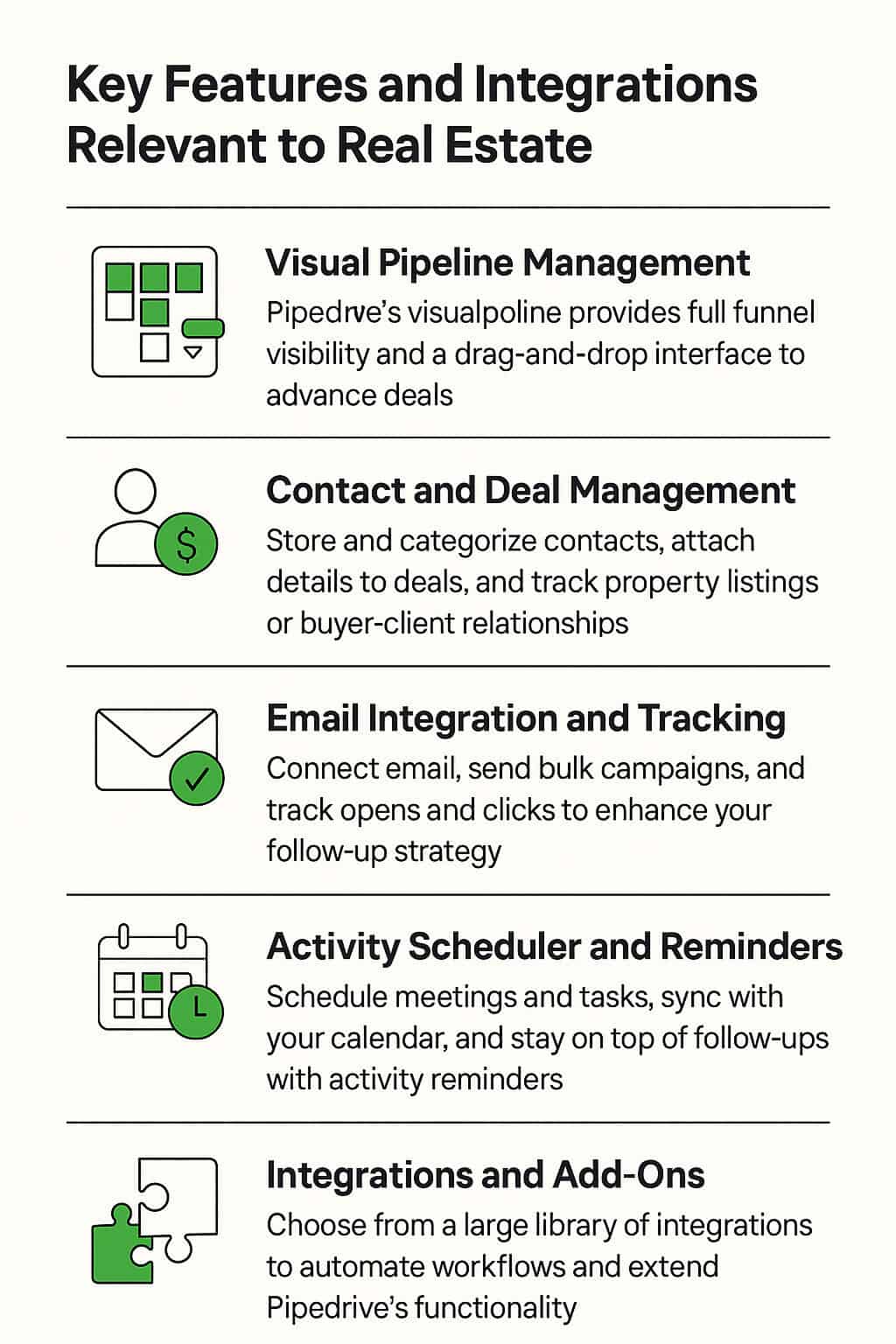
Pipedrive offers a wide range of features under the hood. Here we highlight the ones most beneficial in a real estate context, along with integration options that extend Pipedrive’s functionality for agents and brokers:
Visual Pipeline Management
At the heart of Pipedrive is its visual pipeline. Deals are displayed as cards organized in columns (stages), which you can drag and drop as they progress.
This interface provides full funnel visibility, showing you exactly where each buyer or seller is in the process and what next action is needed.
For realtors juggling many deals, this clarity is invaluable – you might instantly see that you have 3 deals in “Negotiation” that need attention, or that you need more leads at the top of the funnel.
The pipeline view is customizable, so you can label stages to match your terminology.
Contact and Deal Management
Pipedrive acts as a centralized database for all your contacts and deals:
-
Contacts
Store clients (buyers, sellers, investors) with their personal details and communication history. You can categorize them with tags (e.g. “Hot Lead”, “Past Client”, “Referral Partner”) for filtering.
-
Deals
Each deal holds the specifics of a potential transaction – price range, property address, deal value (commission), and any files or notes. Real estate agents often use deals to represent a property listing or a buyer’s search, linking the deal to the person (contact) involved.
This way, if one client has multiple deals (e.g. selling one home and buying another), you can track each separately while all their info is under one contact record.
One neat capability is attaching activities and deadlines to deals – for example, you could set an activity “Closing date” on a deal, which then appears on your calendar.
Pipedrive will remind you as it approaches, and you can check it off when done, keeping the deal timeline up to date.
Email Integration and Tracking
As mentioned, Pipedrive’s email integration is a key feature:
-
Two-Way Sync
Connect your email account and send/receive messages within Pipedrive. All correspondence with a client can be viewed on one screen.
-
Email Templates & Campaigns
Create reusable templates for common communications (price updates, holiday greetings, etc.).
Pipedrive’s newer Campaigns feature (available as an add-on) allows you to design and send email newsletters or drip campaigns to segments of your contacts – useful for mass emailing your farm area or sphere with market news.
It’s fairly cost-effective compared to dedicated email marketing platforms.
-
Open and Click Tracking
Get notified when a client opens your email or clicks a link (great for seeing if a lead viewed the listings you sent).
This can inform your follow-up timing and approach.
Activity Scheduler and Reminders
Pipedrive includes a built-in calendar and activity management system. You can schedule calls, meetings, to-dos, and deadlines.
These activities can sync with Google or Outlook Calendar, so your schedule is unified.
The CRM will send you reminders for due activities, helping busy agents remember every follow-up call and appointment.
For example, you might get a push notification on your phone that “Call John Doe (Buyer – 123 Main St) – 1 week follow-up” is due today. Consistent follow-up is much easier when your CRM serves as your personal assistant.
Automation and AI Sales Assistant
While Pipedrive is simpler than some enterprise CRMs, it does offer automation tools.
You can create if-this-then-that rules (available on Advanced plans and up) to automate repetitive tasks. Common automations for real estate include:
- When a new deal is added to the pipeline, automatically create an activity “Intro email” for tomorrow.
- When a deal is moved to “Under Contract,” auto-generate a task list (order appraisal, send contingency deadlines to client, etc.).
- If a deal is “Lost” (didn’t pan out), trigger a template email thanking them and asking for feedback.
Pipedrive also has an AI sales assistant that learns your usage patterns and suggests actions (for example, it might suggest “There are 5 contacts with no recent activity – create follow-up activities for them?”).
This isn’t real estate-specific but can be a helpful nudge to stay on top of your pipeline.
Integrations and Add-Ons
One of Pipedrive’s strengths is its large library of integrations and add-on modules.
Through the Pipedrive Marketplace (and third-party tools like Zapier), you can connect many apps that real estate pros use in their workflow. A few examples:
-
Lead Generation Sources
Integrate lead forms or lead providers. Pipedrive’s LeadBooster add-on includes a chatbot and web forms you can embed on your real estate website to capture visitor info.
These leads flow right into Pipedrive. You can also use Zapier or API connections to feed leads from Facebook ads, Zillow, BoldLeads, etc., directly into the CRM for immediate follow-up.
-
Marketing and Communication
Pipedrive integrates with Mailchimp for email newsletters, Twilio for SMS, and even WhatsApp for messaging.
For voice calls, it connects with calling software or can log calls made on your phone. Video meeting integrations (Zoom, Google Meet) allow you to launch virtual meetings from within a deal.
-
Document Management and E-Signatures
Real estate transactions involve documents like listing agreements, offers, contracts, and disclosures. Pipedrive’s Smart Docs feature (on Professional plan) lets you generate proposals or documents from templates and even get e-signatures.
It also integrates with PandaDoc and DocuSign for more advanced document workflows. This means you could send an offer to your buyer client for e-sign directly from the CRM and have it saved to the deal.
-
Productivity and Back-Office
You can connect Asana or Trello for task management (if you manage projects like renovations for listings), or QuickBooks for invoicing (in case you bill for consulting or need to track commissions).
Project management add-ons within Pipedrive can help track post-sale activities (like referral follow-ups or marketing projects).
-
MLS and Listing Tools:
Pipedrive doesn’t natively integrate with MLS systems.
However, some tech-savvy agents use Zapier to bridge data – for example, when you mark a deal as “Closed” in Pipedrive, Zapier could update a Google Sheet that tracks your sales for brokerage compliance.
If you use listing platforms or property data software, you’d likely handle those separately but could link via integrations if available. (For dedicated MLS integration, a real estate-specific CRM might be better, as we discuss below.)
Overall, Pipedrive’s integration ecosystem means you can often consolidate many functions into one platform.
In fact, over 350 apps can connect to Pipedrive – from lead gen and qualifying, to video email and even payment tracking.
If an integration doesn’t exist, you can usually rely on Zapier or automation tools like Bardeen to fill the gap, as one agent-focused article suggests.
Pipedrive vs. Other Real Estate CRM Tools

How does Pipedrive stack up against other CRM solutions popular in real estate?
Below we compare it to a few competing tools that often come up in the “Pipedrive for real estate” conversation, highlighting key differences:
| CRM | Real Estate Focus | Notable Strengths | Potential Drawbacks | Starting Price |
| Pipedrive | General (highly customizable to real estate) | – Extremely easy to use and visualize pipeline- Highly customizable stages and fields- Vast integration library (350+ apps)- Native mobile app for on-the-go updates | – Not real estate-specific out of the box (no MLS feed, etc.)- Lacks built-in transaction management module- Advanced marketing tools (drip email, bulk text) require add-ons or external apps | $15 per user/mo (Essentials) |
| Follow Up Boss | Yes – built for real estate teams | – Powerful lead distribution and automated routing to agents- Integrated calling and texting tools- Excellent for team collaboration and accountability (leaderboards, activity tracking)- 250+ integrations, including Zillow/Realtor.com leads and Facebook Ads | – Higher cost, especially for larger teams (no free tier)- Less customizable beyond real estate workflows (geared mostly to lead follow-up)- Limited pipeline flexibility (more list-based views) | ~$69 per user/mo (no annual contract) |
| LionDesk (Lone Wolf) | Yes – real estate CRM | – Built-in texting and video emailing for engaging leads- Includes content library of email/text templates (e.g. drip campaigns, newsletters) tailored to real estate- Affordable for individual agents (entry plans often <$30)- Offers add-ons like power dialer and transaction forms | – User interface is a bit dated/clunky compared to Pipedrive’s slick design- Fewer third-party integrations (focuses on in-house features)- Mobile app and some features are less polished according to user reviews | $25–$49 per month (tiers vary) |
| Wise Agent | Yes – real estate CRM | – Transaction management tools included (calendars for escrow deadlines, commission tracking)- Flat pricing allows unlimited team members at low cost in some plans- Offers landing page builder and robust drip email campaign module- Known for good customer support and training resources | – Dated interface and not as intuitive – bigger learning curve for new users- Limited integrations and advanced features compared to Pipedrive- Mobile app experience is basic | $32/mo (monthly flat rate for many features) |
| IXACT Contact | Yes – real estate CRM | – Strong contact management focus with rich contact profiles (birthdays, interests, referrals)- Includes a monthly e-newsletter and social media content stream for agents to use (marketing automation)- Can come with a branded agent website and CRM combined- Long 6-week free trial | – Fewer customization options; fixed workflow geared toward relationship building- Lacks some deal-tracking flexibility (more client-centric than transaction-centric)- Not as widely integrated with external apps as Pipedrive | $38/mo (after trial, with annual billing) |
| HubSpot CRM | No (general-purpose CRM) | – Free core CRM with unlimited users & contacts, great for budget-conscious teams- All-in-one platform if you add Marketing hub or Sales hub (ads, emails, website chat, etc.)- Huge integration ecosystem (1,000+ integrations) and very robust features at higher tiers- Highly scalable from solo agent to enterprise brokerage | – Steeper learning curve due to sheer breadth of features- Real estate customization not pre-built (requires setup of properties, deal stages manually)- Many advanced features (automation, analytics) require expensive upgrades as you grow- Less focused on pipeline visuals (list-based deal view by default) | $0 to start; paid plans from $45/mo |
Note: The prices above are approximate as of 2025; always check the latest pricing and promotions. Also, each CRM offers different tiered plans – for example, Pipedrive’s higher plans add advanced automation and team management features, while Follow Up Boss’s pricing jumps based on number of leads/contacts.
As you can see, Pipedrive’s main competitors in real estate CRM tend to be purpose-built solutions like Follow Up Boss, LionDesk, Wise Agent, and Ixact, as well as adaptable general CRMs like HubSpot or Zoho.
The best choice depends on your needs:
If you require real estate-specific functions (like an MLS feed, built-in texting, or transaction coordination), a dedicated real estate CRM might serve you better out-of-the-box.
For instance, Follow Up Boss and LionDesk come ready with home buyer drip campaigns, and Wise Agent includes transaction management and a library of real estate flyers.
For those who value simplicity combined with customization, Pipedrive is a standout choice. It’s often noted as one of the most intuitive CRMs that you can mold to your workflow.
Agents who have tried complex industry CRMs sometimes prefer Pipedrive’s simplicity, even if it means bolting on a few external tools for things like bulk texting or MLS data.
Budget is another factor. Pipedrive and HubSpot CRM both offer affordable entry points (or free, in HubSpot’s case), whereas some real estate CRMs can get pricey once you add features or users.
For a solo agent or small team, Pipedrive’s value for money is a big plus, while larger teams might justify the higher cost of a specialized CRM if it drives more sales.
Pros and Cons of Pipedrive for Real Estate
While not originally designed for real estate, Pipedrive has found a strong following among agents and brokers thanks to its ease of use and adaptability.
It helps real estate professionals organize their sales activities, follow up with leads more consistently, and keep transactions on track—all without the complexity of a traditional enterprise CRM.
We’ve summarized the main advantages and potential limitations to help you determine if Pipedrive complements your workflow and objectives.

Advantages of Using Pipedrive
-
User-Friendly Interface for Rapid Adoption
Pipedrive’s clean and intuitive interface allows agents to get up and running quickly, with little need for extensive training.
Its intuitive layout allows users to begin organizing contacts and managing deals right away—eliminating the need for lengthy training sessions.
With an intuitive design, the platform helps agents dedicate more energy to selling and serving clients—instead of troubleshooting the CRM.
-
Customizable to Match Your Sales Process
Unlike many real estate CRMs with rigid, predefined workflows, Pipedrive allows users to tailor the platform to meet their specific needs.
You can configure custom pipelines, deal stages, tags, and data fields to suit a variety of transaction types—whether you handle residential listings, commercial properties, rentals, or investor portfolios.
The platform’s versatility facilitates seamless integration into the user’s established work processes.
-
Flexible and Customizable Setup
Pipedrive’s adaptability makes it a standout choice among real estate CRMs, enabling professionals to configure the system according to their individual working style.
Agents can set up pipelines, deal stages, custom fields, and tags in a way that reflects how they actually work—whether that involves residential listings, commercial leases, or investment property portfolios.
Because of its flexible design, it’s well-suited for users who need a system that can adjust to their specific workflow.
-
Strong Lead Management Tools
Pipedrive offers a solid structure for managing leads—from capturing contact information through forms to setting up follow-up reminders and tracking every interaction.
Agents can sort and manage their leads by factors like location, referral source, or where they are in the buying journey—helping ensure each prospect gets timely and relevant attention.
-
Broad Integration Capabilities
Agents can connect Pipedrive to more than 350 external tools—among them Mailchimp, Trello, and Google Workspace—making it easy to extend its functionality.
It gives agents the flexibility to build a setup that integrates the tools they use most—whether for marketing, managing tasks, or tracking performance.
For more unique workflows, Pipedrive’s open API enables advanced customization with developer support.
-
Mobile Access That Works in the Field
Real estate agents rarely sit at a desk all day.
With Pipedrive’s mobile app, users can manage contacts, add notes, and update deal statuses while they’re out showing homes or meeting clients.
The app includes notifications and reminders, so important follow-ups aren’t missed.
-
Reasonable Pricing and Scalability
Pipedrive’s pricing starts affordably and scales based on need. Small teams or solo agents can begin on an entry-level plan and move up as they grow.
The lack of long-term contracts and tiered feature structure makes it easy to find a plan that fits both operational and financial needs.
Limitations to Consider
-
Not Built Specifically for Real Estate
Although highly customizable, Pipedrive doesn’t come with real estate-specific tools out of the box.
It lacks native integration with MLS databases and doesn’t have a built-in module for listing or transaction management.
Managing these components may necessitate the use of supplementary tools or the creation of bespoke configurations tailored to the agent’s workflow.
-
Requires Third-Party Support
For those needing mass text messaging, IDX website features, or drip email campaigns, Pipedrive won’t provide these natively.
The platform’s communication capabilities, including text and email marketing, are dependent on the integration of third-party solutions such as Twilio and Mailchimp.
While this modular approach offers greater flexibility and allows agents to choose the tools that best fit their workflow, it can also introduce added complexity and incremental costs—especially for those seeking an all-in-one CRM solution with built-in marketing capabilities.
-
Lack of Built-In Templates
Pipedrive doesn’t offer a specific library of marketing materials designed exclusively for the real estate industry.
Agents requiring pre-designed email templates, listing flyers, or automated drip campaigns must either create these materials themselves or obtain them from third-party providers.
For professionals seeking a CRM that includes out-of-the-box content to accelerate client communication and marketing efforts, this can be a shortcoming—particularly when compared to real estate-focused platforms that offer integrated content tools as part of their core offering.
-
It Can Take Time to Master Some Advanced Features
Workflow automation, custom reports, and AI-generated suggestions are powerful tools that can make a big difference, even if they take a little time to get the hang of initially.
While not overly complex, they do require a time investment to configure and use effectively—especially for those who want to take full advantage of what the platform offers.
-
Costs Increase with Scaling
Although Pipedrive is competitively priced at the base level, add-ons such as Smart Docs, LeadBooster, or Campaigns can increase monthly costs.
As teams grow, moving up to higher-tier plans for more robust functionality becomes necessary, which can make Pipedrive comparable in price to some all-in-one real estate CRM platforms. For small teams with limited budgets, smart planning around feature needs is essential.
Final Thoughts: Is Pipedrive Right for Real Estate?

Pipedrive is a flexible, practical CRM that gives real estate agents and brokers a clear view of their deals, contacts, and client interactions.
It’s especially well-suited for professionals who value a streamlined, visual workflow and want a system they can mold around how they actually do business.
Many agents have found it to be a useful alternative to more complex, rigid CRMs that require extensive setup or training.
The platform’s versatility is well-documented through real-world use cases—such as agencies that have grown their lead conversion and team efficiency without needing to hire more staff.
When paired with the right integrations, Pipedrive becomes a reliable backbone for managing everything from lead generation to final closing.
That said, it’s not without its trade-offs.
For agents or teams that rely heavily on MLS data, in-platform texting, or integrated transaction management, a real estate-specific CRM may be a more seamless option.
In those cases, Pipedrive may still work—but expect to complement it with third-party tools and some initial setup.
In the end, the best CRM is the one that supports your day-to-day workflow and helps you close more deals.
For many agents, Pipedrive strikes the right balance between simplicity, affordability, and flexibility.
With the right approach, it can serve as a powerful foundation for growth—whether you’re managing ten deals or a hundred.
Start Your Free Trial Now
Want to see how Pipedrive can transform your real estate business?
Get your free Pipedrive trial here
No credit card required. Set up your pipeline in minutes, and experience how easier real estate sales can be.
People Also Ask: CRM for Real Estate Business
Is Pipedrive good for realtors?
Yes, Pipedrive is a strong choice for realtors who need a simple, visual CRM to track deals and manage contacts. It’s known for its intuitive drag-and-drop pipeline, which helps agents stay organized through every step — from lead to closing.
While it wasn’t designed exclusively for real estate, many agents find its automation features, mobile access, and integrations (with tools like Zapier or Mailchimp) incredibly useful. For more real estate-centric needs, users often pair Pipedrive with add-ons or custom workflows.
What is the best software for real estate agents?
It depends on your needs. If you’re looking for an all-in-one platform with IDX, lead capture, and website tools, kvCORE is a great pick. For those wanting a flexible CRM with powerful sales features, Pipedrive stands out — especially when paired with real estate-specific extensions or integrations. Other top tools include Follow Up Boss, LionDesk, and Real Geeks.
Is there a free CRM for realtors?
Yes. Tools like HubSpot CRM, Zoho CRM, and even Pipedrive (with its free trial) give realtors a chance to test CRM capabilities without upfront costs.
While Pipedrive doesn’t offer a completely free plan long-term, its trial gives agents full access to core tools, making it easy to evaluate before committing.
Do real estate agents use CRM?
Absolutely — it’s almost a requirement now. CRMs like Pipedrive, LionDesk, and Follow Up Boss help agents stay on top of leads, follow-ups, and client communication.
In today’s fast-moving market, missing a single follow-up could mean losing a deal, and CRMs help avoid that.
What’s the best CRM for realtors?
Some of the most recommended options include:
- Follow Up Boss (great for teams)
- kvCORE (powerful and all-in-one)
- LionDesk (budget-friendly)
- Pipedrive (excellent for pipeline management and ease of use)
If you value visual sales stages, task automation, and integration flexibility, Pipedrive can be an excellent fit.
Which CRM does Keller Williams use?
Keller Williams uses Command, its own proprietary CRM tailored to their agent network.
While it offers robust tools, some KW agents also use third-party CRMs like Pipedrive or Follow Up Boss to supplement their lead management or workflow preferences.
How many realtors use a CRM?
Studies show that over 70% of real estate professionals use a CRM — and that number is growing.
Tools like Pipedrive have made adoption easier with their intuitive design and mobile-friendly setup, which appeals to agents who are always on the go.
What system does Keller Williams use?
Keller Williams relies on KW Command, integrated with KW Connect for training and coaching.
Some agents, though, opt to run Pipedrive or other CRMs alongside KW’s system to fill specific gaps or streamline their sales process.
How much does agent CRM cost per month?
Costs vary widely. For example:
- Pipedrive starts around $21/month (Essential plan)
- LionDesk ranges from $25–$99/month
- Follow Up Boss starts at $69/month
- kvCORE is often bundled by brokerages but can exceed $400/month standalone
Pipedrive’s tiered pricing makes it accessible whether you’re a solo agent or part of a team.
How much is a CRM for real estate?
Expect to pay between $20 and $500 per month depending on features.
Tools like Pipedrive and LionDesk sit on the lower end but still offer automation, email tracking, and reporting — all vital for agent success.
What’s the cheapest CRM?
The cheapest CRMs include:
- HubSpot CRM – Free forever (basic features)
- Zoho CRM – Free plan and low-cost tiers
- Pipedrive – Starts at $21/month and offers one of the best value-to-feature ratios
If you’re watching your budget but still want advanced sales features, Pipedrive is one of the most cost-effective choices for realtors.